


Best WhatsApp Campaign Tools for Ecommerce & Shopify Stores in 2026
Comparisons & Alternatives Published: March 16, 2026_03162026105925.png)
Choosing a WhatsApp campaign tool for your ecommerce store is harder than it should be. Most comparison guides mix platforms built for developers with tools designed for Shopify merchants — making it genuinely difficult to compare options that apply to your store. This guide covers five platforms a Shopify store owner can use to run WhatsApp campaigns without technical setup: broadcast promotions, abandoned cart recovery, order notifications, and COD verification.
Each tool is evaluated on Shopify integration depth, automation capability, pricing transparency, and honest limitations. If you are looking for campaign strategy — message types, sequence timing, and segmentation approaches — the guide on WhatsApp campaign strategy for ecommerce covers the tactical side once your tool is live.
The five tools below cover a range from free Shopify-native apps to full DTC commerce platforms. The right one depends on your store's current order volume, team size, and what you specifically need WhatsApp to do.
Quick Answer
For most Shopify stores starting with WhatsApp marketing, Chatix is the right first tool — free plan, Shopify App Store native, and automated cart recovery live within the hour. For in-chat product catalog shopping, Zoko is the stronger choice. For DTC brands that need contact-level campaign analytics and browsed product triggers, QuickReply.ai is the most specific fit. The table below shows where each platform differs.
Key Takeaways
- All five tools run on the official WhatsApp Business API — not the standard WhatsApp Business App. The API is what enables automated Shopify-triggered messages and unlimited broadcasts.
- Chatix, Interakt, and QuickReply.ai install natively from the Shopify App Store. Wati requires external setup. Zoko installs from the App Store but adds a separate $4.99/month Shopify plugin fee.
- Zoko is the only tool in this comparison with in-chat product catalog shopping — customers browse and buy without leaving WhatsApp. No other tool here offers this.
- QuickReply.ai is the only tool that tracks reads, clicks, and conversions at the individual contact level, and fires messages when a customer browses a product without adding it to cart.
- The WhatsApp Business App cannot run automated campaigns triggered by Shopify events. All five tools here replace it with API-powered automation.
- Wati's primary strength is CRM and multi-agent support — not ecommerce campaign automation. Include it in your shortlist only if your team handles 200+ daily WhatsApp conversations.
What to Look for in WhatsApp Campaign Tools
Shopify App Store Native vs API-Dependent
The first filter before comparing any other feature: does this tool install directly from your Shopify App Store dashboard, or does it require a separate account and external API configuration? Shopify-native tools connect to your store's cart, order, and customer data immediately after installation — no webhooks, no developer time, no ongoing maintenance if Shopify updates its data structure. For a full breakdown of what the API connection involves and how Meta verification works, see the guide on WhatsApp Business API for Shopify.
Tools that integrate with Shopify externally can be equally capable, but they add setup time, a potential single point of failure, and ongoing maintenance that Shopify-native tools don't require. For a Shopify merchant choosing between two tools with similar features, Shopify App Store native is almost always the better starting point.
Automation Depth and Shopify Event Triggers
There is a meaningful difference between a tool that 'integrates with Shopify' and one that 'connects to live Shopify events.' The first may let you export a customer list and run a manual broadcast. The second fires a WhatsApp message automatically the moment a cart is abandoned, a checkout is completed, or a shipment status changes — without any manual trigger. For stores running WhatsApp abandoned cart recovery for Shopify at scale, this distinction determines whether the tool saves hours of manual work or just accelerates it slightly.
For the full range of automation triggers available across WhatsApp tools and how to sequence them, the guide on WhatsApp automation for Shopify covers each trigger type with practical setup context.
Broadcast Segmentation and Contact Targeting
Generic broadcast sends the same message to all contacts. Ecommerce-specific tools segment by purchase history, cart value, last order date, product category, and customer tags pulled from live Shopify data. A customer who bought twice in the last 30 days should receive a different WhatsApp promotion than a lapsed customer who hasn't purchased in six months — even when both are in the same broadcast campaign. Check whether segmentation pulls from real-time Shopify data or only from manually uploaded lists.
Pricing Transparency for Ecommerce Stores
Several tools in this space advertise a headline monthly price that does not reflect the full invoice for a Shopify store. Shopify plugin fees, per-flow automation charges, Meta's per-conversation fees, and per-agent costs can significantly increase the effective monthly cost beyond the plan price. Before shortlisting any tool, ask for the full monthly cost at your current conversation volume — including every add-on — not just the base plan price.
Best WhatsApp Marketing Tools for Ecommerce in 2026
1. Chatix
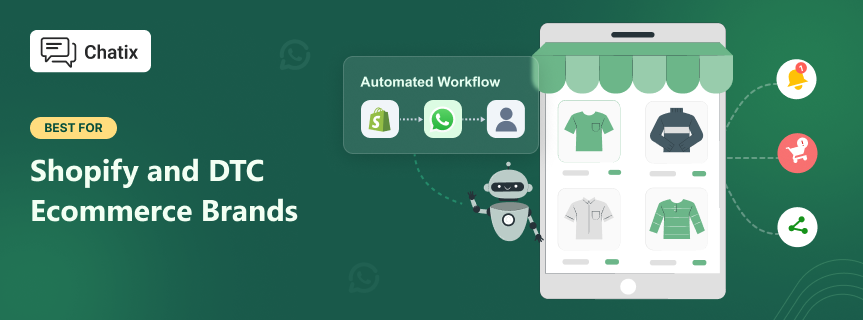
Best for: Shopify stores under 500 orders per month that want WhatsApp cart recovery and broadcasts live today without API configuration, hidden add-ons, or monthly commitment.
Starting price Free plan available. Paid plans scale on conversation volume with no per-agent or per-flow charges.
Chatix is a WhatsApp marketing and automation app built specifically for Shopify. Install from the Shopify App Store, connect your WhatsApp Business API number inside the Chatix dashboard, and your first automated cart recovery sequence can be live the same day — no developer, no webhook setup, no API keys required.
Core capabilities: abandoned cart recovery, order confirmation and shipping notifications, WhatsApp broadcast campaigns, customer segmentation by Shopify tags, live chat widget, and team inbox — all connected to live Shopify cart and order data. Meta conversation fees are passed through at cost with no platform markup on any plan.
Honest limitation: Chatix does not offer in-chat catalog shopping — customers receive a link back to the Shopify store to complete a purchase rather than buying inside WhatsApp. For stores where in-chat commerce is a specific strategic goal, Zoko covers this use case. Chatix also does not offer browsed product triggers — messages fired when a customer views a product without adding to cart.
2. Interakt
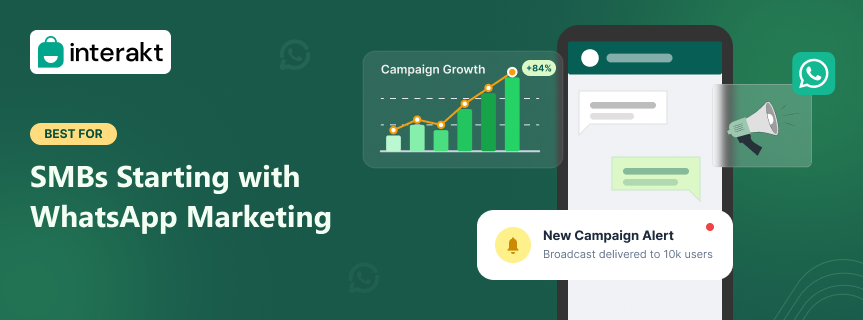
Best for: Indian DTC brands and SMBs running their first WhatsApp marketing campaigns on a budget, with COD-heavy order volume that needs automated verification.
Starting price Approximately $15/month. Rupee billing available for Indian stores.
Interakt is a Jio Haptik product and one of India's most established WhatsApp Business Solution Providers. It connects natively to Shopify, handles COD order confirmation flows, abandoned cart recovery, and broadcast campaigns with segmentation based on live Shopify customer data. Its pricing structure is one of the most transparent in the market — no separate Shopify plugin fees on top of the base subscription.
The onboarding process is designed for non-technical teams, and Interakt's support team understands India ecommerce context specifically — COD-heavy workflows, regional language message templates, and Shopify-specific automation triggers. For Indian DTC brands comparing tool options beyond Interakt, the overview of Wati alternatives covers how Interakt positions relative to other platforms in this category.
Honest limitation: broadcast segmentation is less advanced than Zoko's for stores with complex customer tagging systems. Multi-agent inbox management is basic compared to Wati for teams handling more than 100 daily WhatsApp conversations.
For a direct side-by-side comparison on pricing, setup time, and which store stage each is built for, the Chatix vs Interakt for Shopify guide covers both tools in depth.
3. Zoko
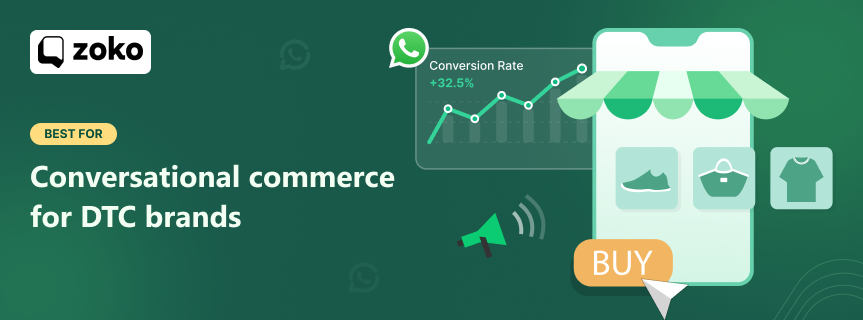
Best for: DTC brands with ₹1Cr+/month in revenue that want customers to browse products and complete purchases directly inside WhatsApp without being redirected to the store.
Starting price $49.99/month base + $4.99/month Shopify plugin + Meta conversation fees. Effective cost for a store sending 2,000 conversations/month: approximately $85-100/month.
Zoko's defining feature is in-chat catalog shopping — it syncs your entire Shopify product catalog into WhatsApp so customers can browse items, select products, and complete a purchase without leaving the chat. For markets where conversational commerce is a core customer behaviour — India, the Middle East, Southeast Asia — this removes click-to-store friction at the discovery stage, not just at the recovery stage. No other tool in this comparison offers this capability.
Beyond catalog commerce: a multi-agent shared inbox with conversation routing, FlowHippo automation builder for conditional sequences, Instagram and Facebook Messenger integration, and COD verification flows. Zoko has 373+ reviews at 4.8 stars on the Shopify App Store.
Honest limitation: custom automation flows beyond the 19 prebuilt templates cost $5.99/flow/month each. A store running 10 custom flows adds $59.90/month to an already substantial base cost. Evaluate total effective cost against WhatsApp revenue before committing.
For a direct side-by-side comparison on pricing, setup time, and which store stage each is built for, the Chatix vs Zoko for Shopify guide covers both tools in depth.
4. Wati
Best for: Customer service and support teams handling 200+ WhatsApp conversations per day who need structured agent routing, CRM contact management, and multi-channel inbox management.
Starting price $49/month on the Growth plan
Wati is a purpose-built WhatsApp CRM platform with a shared team inbox, chatbot builder, bulk messaging, and integrations with Shopify, HubSpot, and Zoho CRM. It is the most widely used WhatsApp BSP in the India market. For a full comparison of platforms in the same category, the guide on Wati alternatives for Shopify covers how Wati positions relative to eight alternative tools across pricing, Shopify integration, and use case fit.
Where Wati genuinely excels: multi-agent inbox management with conversation routing rules, chatbot flows for common queries, CRM-style contact management with tags and notes, and the most robust reporting of any tool in this list for support team performance. It is the strongest option for teams where WhatsApp handles inbound customer service at volume alongside broadcast campaigns.
Honest limitation: Wati's personalization options for broadcast campaigns are less advanced than Zoko's. Analytics and reporting are less detailed for campaign ROI measurement. It is primarily a WhatsApp-only platform — omnichannel marketing beyond WhatsApp is limited. Requires external setup time that Shopify-native tools don't need.
5. QuickReply
Best for: DTC ecommerce brands that run frequent broadcast campaigns and need contact-level analytics — who opened, who clicked, who converted — rather than just aggregate campaign stats.
Starting price Starts at approximately $39/year on entry plans. India-focused pricing available.
QuickReply.ai is a WhatsApp campaign platform built specifically for DTC ecommerce, with a focus on campaign ROI measurement that most WhatsApp tools don't offer at this depth. It installs natively from the Shopify App Store and tracks reads, clicks, and conversions at the individual contact level — giving campaign managers visibility into which specific customers engaged with each broadcast and which converted to a purchase.
The browsed product trigger is QuickReply.ai's most differentiated feature. It fires a WhatsApp message when a customer views a product on your Shopify store without adding it to cart — capturing purchase intent at the consideration stage, not just at cart abandonment. Multi-step cart recovery sequences run with per-step timing customisation, and broadcast segmentation pulls live from Shopify customer tags, order frequency, and purchase history.
Honest limitation: QuickReply.ai has more campaign configuration options than Chatix or Interakt. The contact-level analytics and multi-step flow builder add a learning curve that first-time WhatsApp marketing users don't need until they are running regular campaigns at scale. For stores proving WhatsApp ROI for the first time, start with Chatix and move to QuickReply.ai when campaign measurement becomes the priority.
| Feature | Chatix | Interakt | Zoko | Wati | QuickReply |
|---|---|---|---|---|---|
| Shopify App Store | Native | Native | Native (+$4.99/mo) | External setup | Native |
| Free plan | Yes | No | No (7-day trial) | No | No |
| Starting price | Free | ~$15/month | $49.99+/month | $49/month | ~$39/year |
| Abandoned cart recovery | Yes — automated | Yes — automated | Yes — automated | Yes — automated | Yes — multi-step |
| Browsed product trigger | No | No | No | No | Yes — unique |
| In-chat catalog shopping | No | No | Yes — full sync | No | No |
| Broadcast segmentation | Shopify tags | Basic | Advanced | CRM-based | Contact-level |
| Contact-level analytics | No | No | No | Basic | Yes — reads/clicks/conversions |
| Multi-agent inbox | Basic | Basic | Full routing | Full CRM inbox | Yes — unique |
| Best for | Early to mid-stage Shopify | Indian DTC, COD-heavy | Catalog commerce DTC | Support-heavy teams | DTC campaign analytics |
Choosing the Right WhatsApp Campaign Tool for Shopify
The right tool is not the one with the most features — it is the one that matches what your store needs WhatsApp to do at its current stage. Here is a direct recommendation by store type, not a checklist of questions.
Under 200 Orders per Month
Start with Chatix on the free plan. At this stage the goal is proving WhatsApp as a channel — getting cart recovery automated, building your opted-in contact list, and measuring what WhatsApp actually contributes to revenue. Paying $50+/month for infrastructure you have not yet validated is the most common mistake at this stage. Chatix's free plan gets your first automated recovery sequence live today.
200 to 2,000 Orders — Indian DTC Brands
Interakt or Chatix paid plan — both are Shopify-native and both handle this order volume without enterprise overhead. If your store is COD-heavy or serves primarily Indian markets, Interakt's India-specific workflows add genuine value: COD verification flows, regional language templates, and INR billing. If you are already on Chatix at this stage, upgrading the plan is simpler than migrating to a new platform.
200 to 2,000 Orders — DTC Brands Outside India
Zoko becomes relevant at this stage if in-chat catalog shopping is a core part of your acquisition strategy — customers browsing and buying inside WhatsApp rather than clicking through to the store. The $75-100+/month effective cost is justifiable when catalog commerce is actively converting customers. If you do not need catalog shopping, Chatix's paid plan or QuickReply.ai handles this order volume without Zoko's pricing complexity.
Over 2,000 Orders with a Support Team
At this volume, WhatsApp is both a marketing channel and a support channel. Wati's multi-agent CRM inbox is necessary when more than two people are managing WhatsApp conversations concurrently — it provides the routing, assignment, and escalation workflows that basic inboxes don't have. QuickReply.ai is the alternative if campaign analytics and ROI measurement per broadcast are the priority alongside support. Zoko remains the option if catalog commerce is the core revenue model.
Use Case: Moving to Automated WhatsApp Campaigns
Problem:
A Shopify fashion accessories brand in Mumbai was running WhatsApp broadcast campaigns manually — exporting customer lists from Shopify weekly, uploading them to WhatsApp Business App, and sending promotions one 256-contact list at a time. A 5,000-subscriber list required 20 separate sends. The full process took 3-4 hours per campaign. Abandoned cart recovery was not automated — every follow-up message required someone to identify the cart in Shopify, find the contact, and send manually.
Action:
The team migrated to the WhatsApp Business API via Chatix. Abandoned cart recovery was automated the same day — 45-minute first message, 6-hour follow-up if no reply. Broadcast campaigns moved to Chatix's segmented broadcast feature, targeting past customers by product category. A full 5,000-subscriber promotional send now takes 15 minutes to configure.
Result:
In the first 30 days: 14% cart recovery rate from the automated sequence versus zero from the previous manual process. Average open rate on segmented broadcasts: 38% compared to 22% on non-segmented sends. The 3-4 hours of weekly manual campaign work was eliminated entirely. WhatsApp became the second-highest converting marketing channel within 60 days.
Final Thoughts
The best WhatsApp campaign tool for your Shopify store is the one that connects to your store's live data and sends the right message at the right moment — without manual effort to make it happen. All five tools here do that. The differences are in which Shopify store stage each one is built for.
For most stores, the decision is simpler than it appears. Start with the tool that installs in minutes, costs nothing to test, and automates the highest-value workflow — cart recovery — from day one. Add platform depth when the volume and revenue justify it.
If your Shopify store is ready to move from manual WhatsApp sends to automated cart recovery and segmented broadcasts, start with Chatix — free plan, Shopify-native, live within the hour.
Frequently Asked Questions
What is the best WhatsApp marketing tool for Shopify?
For most Shopify stores, Chatix is the best starting point — it installs natively from the Shopify App Store, has a free plan, and connects directly to Shopify cart and order data for automated recovery and notifications. For stores specifically needing in-chat catalog shopping, Zoko is the stronger choice. For Indian DTC brands on a budget, Interakt is the most cost-effective option.
What are the best WhatsApp marketing tools for ecommerce DTC brands?
It depends on the market and store stage. For Indian DTC brands under ₹1Cr/month in revenue: Chatix or Interakt. For DTC brands above ₹1Cr/month who want customers to buy inside WhatsApp: Zoko. For DTC brands with a support team managing 200+ daily conversations: Wati or AiSensy. No single tool is best for all DTC brands — the store stage and specific use case determines the fit.
Do WhatsApp campaign tools require the WhatsApp Business API?
Yes. All five tools in this comparison run on the official WhatsApp Business API — not the standard WhatsApp Business App. The API is what enables automated messages triggered by Shopify events, broadcasts to unlimited opted-in contacts, and multi-agent team inboxes. Shopify-native tools like Chatix, Interakt, and AiSensy handle the API connection inside their Shopify App Store installation, so you do not need to configure the API separately.
How much do WhatsApp campaign tools cost for Shopify stores?
Pricing varies significantly between headline prices and effective costs. Chatix: free to low-cost paid plans with no hidden add-ons. Interakt: approximately $15/month. Zoko: $49.99/month base but $75-100/month effective after Shopify plugin, custom flow fees, and Meta conversation charges. Wati: $49/month. AiSensy: low entry pricing with $1 Shopify installation. Always ask vendors for the full cost at your specific conversation volume before committing.
What is the difference between WhatsApp campaign tools and generic messaging software?
Generic WhatsApp marketing software sends broadcast messages to contact lists. Ecommerce-specific campaign tools connect to Shopify's live data — cart events, order status, customer purchase history — and trigger automated messages based on real store activity. A tool that connects to Shopify fires a cart recovery message automatically 45 minutes after abandonment. Generic broadcast software requires you to manually identify abandoned carts and send messages yourself. The automation depth is the key difference.
Can I switch WhatsApp tools without losing my number?
Yes. Your WhatsApp Business number stays the same when you migrate between platforms. The number is tied to your Meta Business Account, not to the campaign tool. The migration process involves disconnecting the current BSP and reconnecting through the new platform — typically handled during onboarding. Chat history from the previous platform does not migrate, but the number and all customer contacts remain intact.