


WhatsApp Business API for Shopify — Everything Store Owners Need to Know in 2026
WhatsApp Business & API Published: March 20, 2026
Most Shopify store owners have heard of WhatsApp Business API. Very few actually understand what it does — or realise their store is already big enough to use it.
If you’ve been putting it off because it sounds technical, expensive, or built for enterprise brands, this guide is for you. WhatsApp Business API is not what most people think it is. And for Shopify stores, retail businesses, and ecommerce operations doing even 50 orders a month, it could be the single biggest upgrade to how you communicate with customers.
Quick Answers
WhatsApp Business API is a version of WhatsApp built for businesses that need to send automated messages at scale — like order confirmations, abandoned cart reminders, and shipping updates — directly through their Shopify store.
Key Takeaways
- WhatsApp Business API is different from the regular WhatsApp Business app — and the difference matters for your store
- It lets you automate customer messages based on real Shopify order activity
- It’s not just for large brands — small and mid-size Shopify stores use it every day
- You don’t need a developer or technical knowledge to set it up with the right tool
- WhatsApp charges per conversation, not per message — for most markets this is under $0.01 per exchange, making it significantly cheaper than most email marketing tools at comparable open rates
- The tool you use to connect the API to Shopify matters more than the API itself — native Shopify integration, no developer setup required, and official BSP status are the three things to verify before choosing a platform
What Is WhatsApp Business API
Most merchants assume WhatsApp Business API is built for companies with IT teams and enterprise budgets. That assumption is costing them more than they realise.
WhatsApp Business API is simply the version of WhatsApp that allows businesses to connect their messaging to external tools — like Shopify. Instead of manually sending messages from your phone, the API lets your store trigger messages automatically based on what customers do. Someone abandons their cart — a message goes out. An order is confirmed — a message goes out. No manual work. No missed follow-ups.
The “API” part just means it connects WhatsApp to your store through a third-party tool — and that tool handles all the technical work for you. You don’t touch a single line of code.
WhatsApp Business App vs API — What’s the Difference
This is where most Shopify merchants get confused — and it’s worth being completely clear about. The WhatsApp Business app and the WhatsApp Business API are two very different things.
The WhatsApp Business app is what most small business owners start with. It works from your phone, lets you set up a business profile, and allows basic automated replies. It’s free and simple — but it has hard limits. You can only use one device, you can’t integrate it with Shopify, and you can’t send automated messages triggered by order activity.
The WhatsApp Business API removes all of those limits. It connects directly to your Shopify store, works across multiple team members, and lets you send messages automatically based on customer actions — abandoned carts, COD verification, order confirmations, shipping updates, and more.
For stores that are growing and want to stop doing customer communication manually, the API is the natural next step.
What You Can Do With WhatsApp Business API — Shopify Use Cases
This is where it gets practical. Here’s what WhatsApp Business API actually unlocks for a Shopify store:
- Abandoned cart recovery — A customer leaves without buying and an automated WhatsApp message goes out within minutes with their cart details and a gentle nudge. WhatsApp open rates are significantly higher than email, which means more recovered sales. The full setup process is covered in the WhatsApp abandoned cart recovery for Shopify guide.
- COD order verification — An automatic message is sent to confirm cash on delivery orders before dispatch, reducing fake orders and return-to-origin rates.
- Order confirmation and shipping updates — Customers get automatic updates at every stage, which means fewer support queries and a better post-purchase experience.
- Broadcast campaigns — Send promotions, new product launches, or seasonal offers to opted-in customers at scale. The full guide to running WhatsApp broadcast campaigns for ecommerce is covered in the WhatsApp campaign tools for ecommerce guide.
Is WhatsApp Business API Right for Your Shopify Store
Not every store needs to move to the API right now — and it’s worth being honest about that.
It’s a good fit if:
- Your store gets consistent orders and you’re still following up manually
- You’re losing sales to abandoned carts and email recovery isn’t working well enough
- You offer COD and deal with fake or unverified orders
- You want to send broadcast messages to customers who’ve opted in
It’s probably not the right move yet if:
- Your store is brand new with very few orders per month
- You have no existing customer communication strategy in place
- Your target audience doesn’t actively use WhatsApp
For the majority of growing Shopify stores, the API pays for itself within the first month of recovered carts alone. For the full breakdown of every capability the API unlocks for Shopify stores beyond these four use cases, the WhatsApp API features for Shopify guide covers each one in detail.
How Much Does WhatsApp Business API Cost
This is the question most blogs avoid answering directly. Here’s the honest version.
WhatsApp charges per conversation, not per message. A conversation is a 24-hour window of messaging between you and a customer. Rates vary by country but start from as low as $0.005 per conversation for many markets — meaning for a store doing 100 orders a month, the WhatsApp charges alone are just a few dollars.
Note that Meta updates WhatsApp pricing periodically and rates vary significantly by country — verify current rates at business.whatsapp.com/pricing before planning your budget.
On top of that, you pay for the tool that connects it to your store. Chatix’s Premium plan starts at $24.99 per month and includes full API access, automated messaging, team inbox, and broadcast campaigns. When you compare that to what most email marketing tools cost — with a fraction of the open rates — the API starts looking like a very easy decision.
How to Choose a WhatsApp API Platform for Shopify
Several platforms provide access to the WhatsApp Business API for Shopify stores — and the one you choose determines how easy the setup is, how well it integrates with your store, and what you can automate. Here’s what to evaluate before committing to any platform:
- Native Shopify integration — A platform that connects directly to Shopify without Zapier or third-party middleware means your order data, customer details, and automation triggers are synced automatically. Via-integration tools add setup time and points of failure.
- Official BSP status — WhatsApp requires all API access to go through an official Business Solution Provider. Platforms without this status are using unofficial methods that risk permanent number bans.
- No developer setup required — The right tool should walk you through API application and setup from within the app itself. If a platform requires you to configure webhooks or write any code, it’s not built for Shopify merchants without a technical background.
- Free plan or trial — API access has ongoing per-conversation costs from Meta. A platform with a genuine free tier lets you test the setup before committing to a monthly subscription.
- Shared team inbox — If more than one person handles customer messages, a shared inbox is non-negotiable. Single-user tools hit a ceiling fast as order volume grows.
For a full comparison of the specific platforms that meet these criteria for Shopify stores, the WhatsApp API providers guide covers each one with honest pros, cons, and pricing.
How to Get Started with WhatsApp Business API on Shopify
Most guides overcomplicate this part. Here’s the reality for Shopify stores:
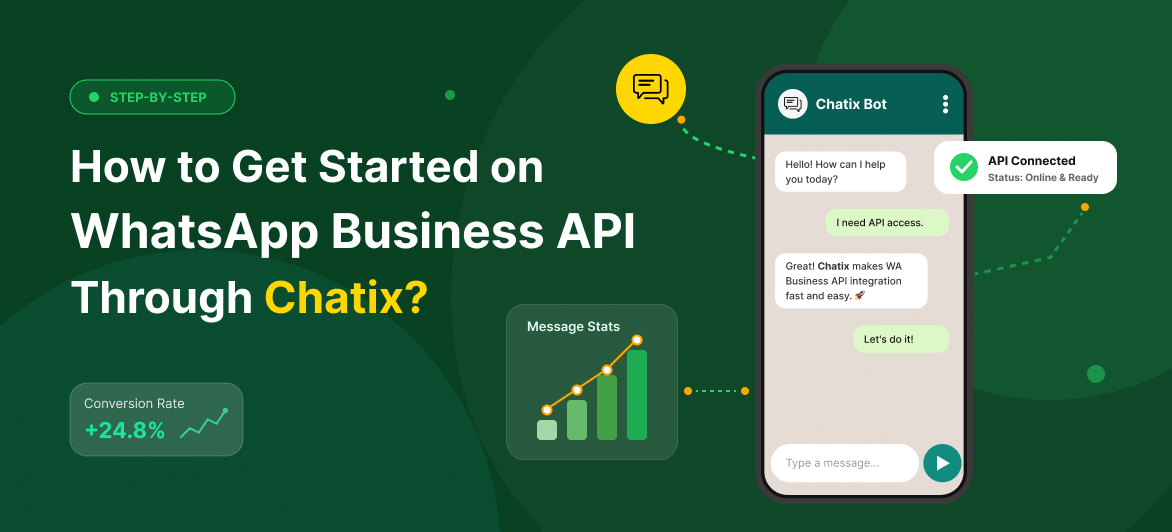
1. Install Chatix from the Shopify App Store.
2. Connect your WhatsApp Business account inside the app using your dedicated business number.
3. Apply for API access — the app walks you through it step by step, no separate Meta application required.
4. Set up your automated message flows — abandoned cart, order confirmation, COD verification.
5. Go live — the whole process takes under an hour for most store owners.
The only thing you need beforehand is a dedicated phone number for your business WhatsApp account. No developer, no technical configuration, no complicated setup.
Final Thoughts
WhatsApp Business API is not the complicated, enterprise-only tool most merchants assume it to be. If your Shopify store is growing and you’re still relying on email alone to communicate with customers, you’re leaving recovered carts, confirmed orders, and loyal repeat buyers on the table.
Getting started is far simpler and more affordable than most guides make it sound. You don’t need a developer, a big budget, or technical experience. You need the right platform and a clear setup process — and once it’s live, it runs without manual involvement.
If you’re ready to bring WhatsApp properly into your Shopify store, Chatix is the fastest way to implement everything covered in this guide — from API setup to automated messaging — without any of the complexity.
Frequently Asked Questions
1. Do I need a developer to set up WhatsApp Business API for Shopify?
No. The right Shopify WhatsApp app handles the entire setup inside your store without any coding. Most store owners are fully live within an hour.
2. Is WhatsApp Business API free?
WhatsApp charges per conversation starting from around $0.005 in most markets — rates vary by country and are updated periodically by Meta. On top of that, you need a platform to connect it to Shopify, which typically starts from $8.99–$24.99 per month. Total cost is usually lower than most email marketing tools at comparable volume.
3. What is the difference between WhatsApp Business App and WhatsApp Business API?
The app works from your phone with basic automation and no Shopify integration. The API connects directly to your store, enables full message automation, supports multiple team members, and allows broadcast campaigns at scale.
4. Can I use WhatsApp Business API for abandoned cart recovery on Shopify?
Yes — and it’s one of the most effective use cases. Automated WhatsApp messages have significantly higher open rates than email, which means better recovery rates from the same number of abandoned checkouts.
5. Is it legal to send WhatsApp marketing messages to customers?
Yes, as long as customers have opted in to receive messages from your business. WhatsApp requires consent before any automated messages are sent — the opt-in is typically captured at checkout as a checkbox.
6. Which WhatsApp API platform is best for Shopify?
The right platform depends on your order volume, team size, and whether you need a free plan to start. The criteria to prioritise are native Shopify integration, official BSP status, no developer setup, and a shared team inbox — see the WhatsApp API providers guide for a platform-by-platform comparison.