


Chatix vs Zoko for Shopify: Which WhatsApp Tool Fits Your Store in 2026
Comparisons & Alternatives Published: January 28, 2026
Chatix and Zoko are two of the most compared WhatsApp tools for Shopify — but most guides stop at a feature table and leave the two questions Shopify merchants actually need answered: does Zoko require Shopify to work, and what does each tool cost after all the add-ons?
This comparison covers both. If you are also evaluating other tools, the Chatix vs Interakt for Shopify guide covers a similar decision for Indian DTC brands. For this one: features, real pricing, and a direct verdict by store stage.
Quick Answer
Chatix is the better starting point for most Shopify stores — free plan, Shopify App Store native, abandoned cart recovery live in under an hour. Zoko wins specifically for DTC brands that need in-chat catalog shopping. Without a Shopify store connected, both tools lose most of their value.
Key Takeaways
- Chatix installs from the Shopify App Store in under 5 minutes — no external API setup, no separate account, no developer.
- Zoko starts at $49.99/month. Add the $4.99/month Shopify plugin and Meta conversation fees — the effective monthly cost for a Shopify store is $75–100+
- Chatix has a free plan with real features. Zoko has a 7-day trial only.
- Zoko's in-chat catalog shopping — customers browse your Shopify products and buy inside WhatsApp — is a feature Chatix does not have.
- Without Shopify connected, Zoko loses cart recovery, catalog sync, and order automation. It becomes a basic inbox and broadcast tool.
- Zoko's Shopify integration setup takes 30–60 minutes. Chatix takes under 5 minutes.
Does Zoko Require Shopify to Work?
Zoko is designed around Shopify commerce data. When connected to Shopify, it reads your store's cart events, order records, and product catalog — and every meaningful automation flows from that connection.
What Zoko Does With Shopify Connected
With Shopify connected, Zoko operates at full capability:
- Product catalog syncs automatically into WhatsApp — customers browse and buy inside the chat
- Abandoned carts trigger WhatsApp messages automatically without manual sending
- Order confirmations and shipping updates fire on each Shopify fulfilment status change
- COD orders get automated verification flows tied to real order records
- Broadcast campaigns pull live from Shopify customer tags and purchase history
The WhatsApp Business API for Shopify connection that powers this is the same API both tools use — but Zoko's implementation is designed specifically around Shopify commerce events.
What Zoko Does Without Shopify
Without Shopify, Zoko loses its core differentiators:
- Catalog sync stops — no product data source
- Cart recovery stops — no cart event trigger
- Order notifications stop — no order data
What remains is a shared multi-agent inbox, manual broadcast campaigns to uploaded contact lists, and basic chatbot flows. These features are available at significantly lower cost from tools not built around Shopify commerce.
Zoko Shopify Integration Setup Time
Zoko's Shopify integration takes 30–60 minutes — WhatsApp Business API connection, Shopify plugin configuration ($4.99/month extra), catalog sync mapping, and automation flow activation. Zoko's support team guides merchants through onboarding. This assumes the WhatsApp Business API number is already Meta-approved. Chatix completes the same setup in under 5 minutes inside the Shopify App Store dashboard.
What Chatix and Zoko Are Built For
Chatix — Shopify-Native WhatsApp Automation
Built specifically for Shopify — Chatix connects to your store's cart and order events from inside the Shopify App Store, with no API configuration outside the app and no developer involved. The entire setup, including the first automated cart recovery sequence, is live in under 5 minutes.
Install CTX — WhatsApp Chat + Marketing from Shopify App Store
- Abandoned cart recovery — automated sequence triggered by live Shopify cart events
- Order confirmation and shipping update notifications on each fulfilment status change
- Segmented broadcast campaigns pulled from Shopify customer tags and purchase history
- Live chat widget and team inbox inside one Shopify-connected dashboard
- Free plan with real features — no time limit, no trial
- Meta conversation fees passed at cost — no platform markup on any plan
One clear gap: Chatix does not have in-chat catalog shopping. Customers receive a link back to the Shopify store to complete a purchase rather than buying inside WhatsApp. For stores where conversational commerce is a defined strategy, Zoko addresses this specifically.
Zoko — WhatsApp Commerce for DTC Brands
The first thing to understand about Zoko is the real monthly cost. Base plan: $49.99/month. Add the $4.99/month Shopify plugin fee and Meta conversation charges — for a store sending 2,000 conversations per month, the effective invoice is approximately $85–100 before any custom flow charges. Verify current pricing at zoko.io before publishing.
What justifies that cost: Zoko syncs your entire Shopify product catalog into WhatsApp so customers can browse products, select items, and complete a purchase without leaving the chat. No other tool in this comparison does this. For markets where buyers prefer conversational commerce over browser-based shopping, this closes the gap between intent and purchase.
Install Zoko from Shopify App Store
What Zoko adds beyond standard cart recovery:
- In-chat catalog shopping — full Shopify product sync, browse and buy inside WhatsApp
- Multi-agent inbox with conversation routing, private notes, and escalation rules
- FlowHippo conditional automation — $5.99/flow/month beyond the 19 prebuilt templates
- COD verification flows connected to live Shopify order records
Where Zoko falls short: the chatbot is rule-based, not AI-powered. Running 8 custom flows adds $47.92/month on top of the base cost. There is no channel support beyond WhatsApp and select Meta surfaces.
Chatix vs Zoko — Side-by-Side for Shopify
| Feature | Chatix | Zoko |
|---|---|---|
| Shopify App Store native | Yes — direct, no setup | Yes (+$4.99/mo plugin fee) |
| Free plan | Yes — real features | No (7-day trial only) |
| Effective monthly cost | Free to low-cost paid | $75–100+ after all add-ons |
| Setup time | Under 5 minutes | 30–60 minutes |
| Abandoned cart recovery | Yes — automated | Yes — automated |
| In-chat catalog shopping | No | Yes — full Shopify sync |
| Multi-agent inbox | Basic | Full routing + private notes |
| Best for | Early to mid-stage Shopify | Scaling DTC catalog commerce |
Where Chatix Wins for Shopify Stores
Setup in minutes, not hours
Chatix connects to Shopify's cart and order data inside the app dashboard — no API keys outside the app, no developer time. WhatsApp abandoned cart recovery for Shopify is live within the hour of installation. For solo founders and small teams without technical support, this matters more than any advanced feature they're unlikely to use in month one.
Pricing with no surprises
Free plan covers abandoned cart recovery, broadcasts, and live chat. Paid plans scale on conversation volume with no per-flow charges, no Shopify plugin add-on, and no Meta markup. The monthly invoice matches the plan price.
The right starting point before committing to infrastructure
Committing to $75–100/month before WhatsApp has contributed a single verified sale to the store is a common mistake at the Shopify merchant level. Chatix lets merchants prove the channel — measure cart recovery rate, broadcast open rate, and revenue contribution — before deciding whether Zoko's catalog commerce infrastructure is worth the step up.
Where Zoko Wins for Shopify Stores
In-chat catalog shopping
No other tool in this comparison syncs a Shopify product catalog into WhatsApp so customers can browse and buy without leaving the chat. For markets where customers prefer conversational buying — India, Middle East, Southeast Asia — Zoko's catalog commerce reduces drop-off at the discovery stage, not just at cart recovery.
Multi-agent inbox for high-volume teams
Zoko's shared inbox routes all incoming WhatsApp messages across agents simultaneously — conversation assignment, private notes, escalation rules. For stores handling 200+ daily WhatsApp conversations, Chatix's basic inbox becomes a bottleneck. COD verification via WhatsApp for Shopify at volume benefits particularly from Zoko's routing — ambiguous orders escalate to a human agent automatically.
Advanced conditional automation
Zoko's FlowHippo builder runs multi-step sequences with conditional logic — recovery messages that change content based on cart value, VIP customer routing, post-purchase upsell flows by product category. For stores managing 15+ simultaneous automation journeys, this depth is necessary.
Which Tool Does Your Shopify Store Need?
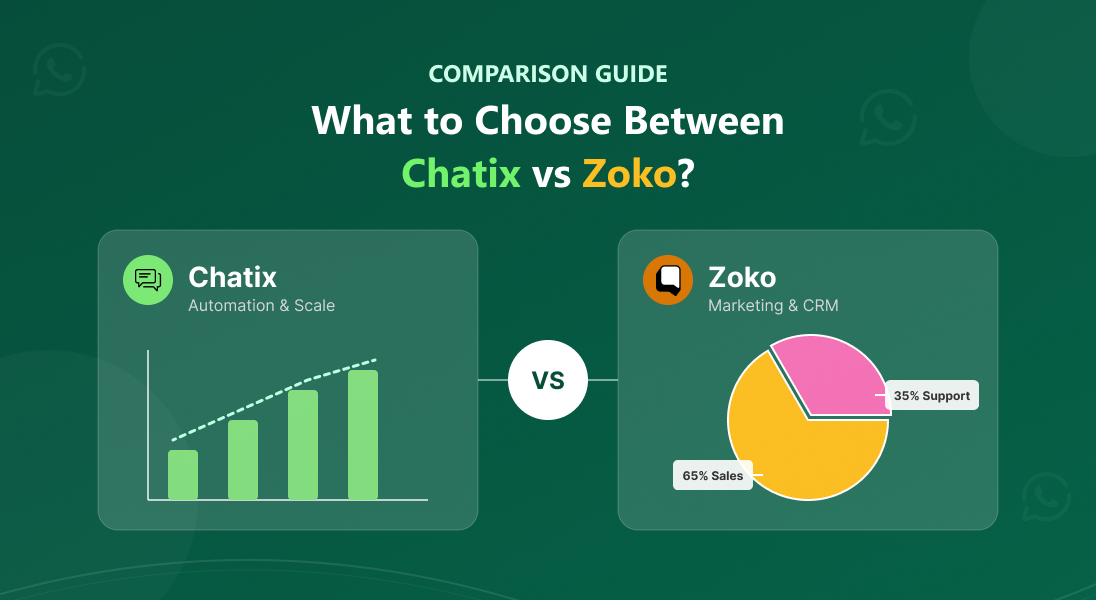
Choose Chatix If:
- Your store is under 500 orders/month and you want WhatsApp automation live today. Install from the Shopify App Store
- You need cart recovery, order notifications, and broadcasts — not in-chat catalog shopping
- You want to validate WhatsApp revenue before committing to $75–100/month infrastructure
- You are a solo founder or small team with no developer support
- You want predictable billing — no per-flow charges, no Shopify plugin fee, no Meta markup
Choose Zoko If:
- Your store does ₹1Cr+/month and WhatsApp is a proven, scaling revenue channel
- In-chat catalog shopping is a core strategy — customers browse and buy inside WhatsApp
- You have a team managing 100+ WhatsApp conversations per day and need agent routing
- The effective $75–100+/month cost is justified by the store's current WhatsApp revenue
- You want a broader comparison including eight tools in this category — the Wati alternatives for Shopify guide covers Zoko alongside pricing depth and use case fit
Use Case: Proving WhatsApp Before Upgrading
Problem:
A Shopify home furnishings store in Hyderabad was manually following up on abandoned carts via the WhatsApp Business App. Of 180–200 abandoned carts per week, the founder could personally follow up on 25–30. The remaining 150+ received nothing. She had looked at Zoko but the $75+ effective monthly cost before any WhatsApp revenue was proven felt like a risk she was not ready to take.
Action:
She installed Chatix on the free plan. Abandoned cart recovery went live in 40 minutes — first message at 30 minutes after abandonment, second at 6 hours if no reply. No developer involved, no configuration outside the Chatix dashboard.
Result:
In the first 30 days, the automated sequence reached 100% of abandoned carts — versus the 15–20% her manual process covered. WhatsApp cart recovery went from 3–4 orders per week to 14–17. After four months of consistent WhatsApp revenue, she evaluated Zoko for catalog commerce as her store volume and team grew.
Can You Use Chatix and Zoko Together?
Yes — and for certain Shopify Plus stores, it makes sense. Chatix and Zoko serve different functions when used together: Chatix handles outbound WhatsApp automation (cart recovery, order notifications, broadcast campaigns), while Zoko manages inbound conversations through its multi-agent inbox and handles catalog commerce. The two tools don't conflict because they operate on different sides of the same WhatsApp number.
That said, this is only worth considering at a specific store stage. Running two WhatsApp tools simultaneously means two subscriptions, two dashboards, and two sets of message flows to maintain. For a store under 500 orders per month, this adds overhead with no clear benefit — one tool handles everything at that volume.
Where it makes practical sense:
- Store is on Shopify Plus with a team handling 200+ daily WhatsApp conversations
- Chatix is running outbound automation (cart recovery, broadcasts) that you don't want to rebuild
- You need Zoko's multi-agent inbox and catalog commerce for inbound and sales conversations
- The combined monthly cost — Chatix paid plan plus Zoko's $75–100+ effective cost — is justified by WhatsApp revenue
If you are at an earlier stage, pick one. Chatix for automation, Zoko if catalog commerce is a core strategy. The "use both" path is for stores that have already outgrown what either tool does alone.
Final Thoughts
Chatix and Zoko serve different Shopify store stages — not different Shopify store types. Both need Shopify to be genuinely useful. Both automate the core WhatsApp workflows. The difference is what comes next: Chatix is the starting point, Zoko is the scale-up.
Most Shopify stores that start with Zoko before validating WhatsApp revenue end up paying for infrastructure they do not yet fully use. Starting with Chatix, measuring the channel over 60–90 days, and then upgrading when the data justifies it is the more predictable path.
If your Shopify store is ready to put WhatsApp to work today, Chatix is the fastest way to get there — free plan, Shopify-native, no developer needed
Frequently Asked Questions
Does Zoko require Shopify to work?
Zoko does not require Shopify to function as an inbox and broadcast tool. Without Shopify, however, it loses catalog sync, cart recovery, and order automation — the features that justify its pricing. For non-Shopify businesses, Zoko's cost is difficult to justify against simpler WhatsApp tools.
Can Zoko be used without a Shopify store?
Yes, with significant limitations. Without Shopify, Zoko functions as a WhatsApp inbox, manual broadcast platform, and basic chatbot — products can be added to the catalog manually, but automated sync stops. Non-Shopify businesses should compare Zoko's pricing against generic WhatsApp tools rather than Shopify-specific ones.
What does Zoko cost for a Shopify store per month?
Zoko's base plan is $49.99/month. Add the $4.99/month Shopify plugin and Meta conversation fees — for a store sending 2,000 conversations/month, the effective total is approximately $85–100/month before any custom flow charges. Verify current pricing at zoko.io before committing, as plans have been updated in 2026
What is the main difference between Chatix and Zoko for Shopify?
Chatix is Shopify-native, free to start, and designed for automated marketing — cart recovery, order notifications, and broadcasts — without setup complexity. Zoko is a WhatsApp commerce platform for stores that want customers to browse and buy products directly inside WhatsApp. The practical difference is in-chat catalog shopping: Chatix does not have it, Zoko does.
Which is better for abandoned cart recovery — Chatix or Zoko?
Both tools automate WhatsApp abandoned cart recovery. Chatix activates it faster — live within an hour of Shopify App Store installation, no API configuration needed. Zoko's recovery flows offer more conditional logic and multi-step customisation, which becomes relevant at high abandoned cart volume with complex segm
How long does Zoko's Shopify integration setup take?
Zoko's Shopify integration takes 30–60 minutes — WhatsApp Business API connection, Shopify plugin configuration, catalog sync setup, and automation flow activation. The process assumes Meta verification of the WhatsApp number is already complete. Chatix's Shopify App Store installation takes under 5 minutes with no external configuration.
Does Chatix have a free plan for Shopify stores?
Yes. Chatix's free plan includes WhatsApp live chat, basic automation, and limited broadcasts — not a time-limited trial. There are no per-agent fees, per-flow charges, or Shopify plugin add-ons on any plan. It is the right starting point for stores proving WhatsApp as a revenue channel before committing to paid infrastructure.
Can I switch from Zoko to Chatix without losing my WhatsApp number?
Yes. Your WhatsApp Business number is tied to your Meta Business Account, not to the tool. Migrating involves disconnecting Zoko as the BSP and reconnecting through Chatix during onboarding. Chat history from Zoko does not carry over, but the number and all customer contacts remain intact.