


WhatsApp Marketing for Shopify Merchants: What Actually Works
WhatsApp Marketing Published: February 21, 2024
Running a Shopify store in 2026 means dealing with rising Meta ad costs, declining email open rates, and customers who are harder to reach than ever. Meta CPC has increased year-on-year for four straight years, and email averages a 20% open rate on a good day — meaning 8 out of 10 customers never see the message you worked to write.
WhatsApp reaches those 8 people. With 535 million users in India alone and 3.3 billion globally, it is the channel where your customers already spend hours every day. But most Shopify merchants either have not started using it, or are sending random broadcasts with no structure and wondering why it is not working.
This guide gives you a framework — not a list of disconnected tips. Twelve strategies mapped to a five-stage funnel, built specifically for how Shopify stores sell. Follow them in sequence and each one compounds the one before it.
Quick Answer
WhatsApp marketing for Shopify works best as a funnel — opt-in collection first, abandoned cart automation next, then post-purchase flows and retention broadcasts. Use the WhatsApp Business API for any store doing more than 100 orders a month. Set up abandoned cart recovery before running any broadcasts. And protect your sender quality score from day one — one spike in blocks can restrict your number within 24 hours.
Key Takeaways
- WhatsApp messages have a 95–98% open rate vs email's 20% — but only for opted-in contacts. Buying contact lists will get your number banned.
- Shopify merchants need the WhatsApp Business API, not the free app — to automate, integrate with Shopify, and broadcast to unlimited contacts.
- Abandoned cart recovery is the highest-ROI automation — set it up before running any broadcast campaign.
- WhatsApp marketing increases repeat purchase rates by 20–30% — for stores that run post-purchase flows consistently.
- Your sender quality score matters more than message volume — monitor your block-to-read ratio weekly, not monthly.
WhatsApp Business App vs WhatsApp Business API — Which One Do You Need
These are two completely different products with very different capabilities. Most Shopify merchants start with the free Business App and hit a ceiling at exactly the wrong moment — when they are ready to scale.
| Feature | Business App | Business API |
|---|---|---|
| Broadcast limit | 256 contacts | Unlimited |
| Multi-agent access | No | Yes |
| Automation and chatbots | No | Yes |
| Shopify integration | No | Yes |
| Green tick (verified badge) | No | Yes |
| Analytics and reporting | Basic | Full |
| Cost | Free | Paid via BSP |
When the Business App Is Enough
The free WhatsApp Business App works for Shopify stores in their early stage — under 50 orders per month, one person managing conversations, and no need for automation. You can send manual order updates, reply to customer queries, and set up basic quick replies. It is a starting point, not a growth tool.
When to Upgrade to the API
Once your store crosses 100 orders a month, manual WhatsApp management breaks down fast. The API unlocks automated abandoned cart recovery, Shopify order notifications, broadcast campaigns to unlimited contacts, and multi-agent team inboxes. If you are running paid ads and driving customers to WhatsApp, the API is not optional — the Business App cannot handle the volume or automation those campaigns need.
For the full breakdown of what the API unlocks — including setup cost, BSP options, and Meta verification — the WhatsApp Business API for Shopify guide covers everything before you commit to a provider.
How to Connect the WhatsApp API to Your Shopify Store
You access the API through an official Business Solution Provider (BSP) — not directly from Meta. The BSP handles the technical setup and gives you a dashboard to manage conversations, automations, and campaigns. See the full Shopify integration setup guide for the step-by-step process including number registration, business verification, and message template approval.
The WhatsApp Marketing Funnel for Shopify Stores
WhatsApp marketing is not one campaign — it is a sequence. Structured as a five-stage funnel, each stage has a different goal, a different message type, and different metrics to track. The merchants getting 10–15% cart recovery rates and 70%+ read rates are following this sequence. The ones who are not are sending random broadcasts to cold contacts and burning their sender reputation.
Stage 1 — Foundation: Building Your Opt-In List the Right Way
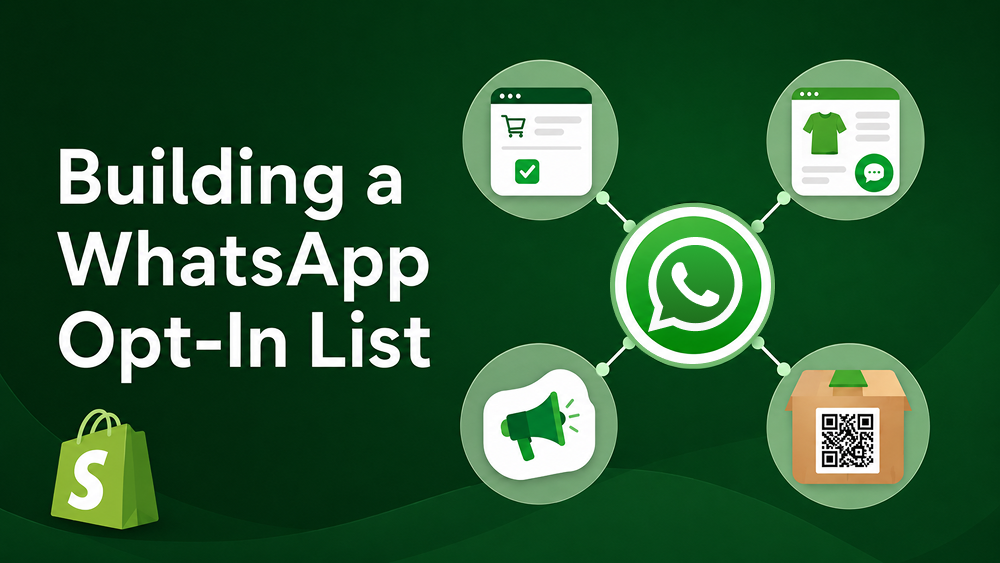
Before anything else, you need explicit opt-in from every contact. WhatsApp's Business Policy is strict — sending unsolicited messages is the fastest route to a restricted number. These are the four opt-in methods that work for Shopify stores:
- Checkout opt-in checkbox — the highest-volume method. Add a WhatsApp consent checkbox at checkout alongside the email field. Merchants with a clear value proposition ("Get order updates on WhatsApp") see 15–25% opt-in rates at checkout.
- WhatsApp chat widget on product pages — captures customers who are actively browsing and have a question. A floating "Chat on WhatsApp" button on product or cart pages picks up high-intent visitors at the moment they need help.
- Click-to-WhatsApp ads on Meta — paid acquisition that opens a WhatsApp chat directly from a Facebook or Instagram ad. Covered in detail in Stage 2.
- QR codes on packaging — post-purchase touchpoint that converts one-time buyers into WhatsApp subscribers. Include a QR code with an incentive: "Scan for reorder discount" or "Scan for styling tips."
What not to do: Importing purchased contact lists, cold messaging people who never interacted with your store, and adding customers from old email lists without fresh WhatsApp consent. All three will spike your block rate and damage your sender quality score.
Stage 2 — Acquisition: Click-to-WhatsApp Ads and Entry Points
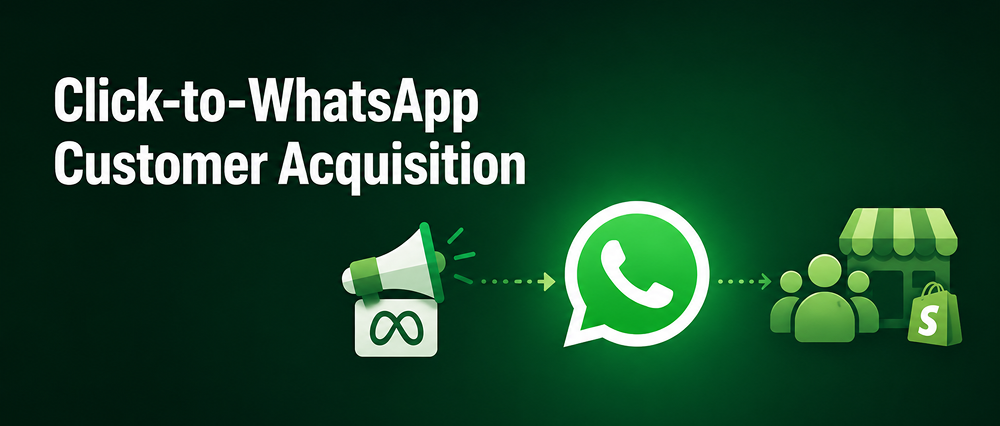
Click-to-WhatsApp ads are Meta ads that open a WhatsApp conversation directly when someone taps them — no website redirect, no form, no friction. These ads work best for:
- High-ticket or considered purchases where customers have questions before buying
- Markets where WhatsApp dominates — India, Middle East, Southeast Asia, LATAM
- BOFU campaigns targeting warm retargeting audiences who have already visited your store
- Product launches where you want to build a subscriber list before going live
Meta reports that lead-optimised click-to-WhatsApp ads produce 24% lower cost per lead compared to conversation-optimised campaigns. When a customer clicks and messages you, the conversation needs to be handled instantly — either by an AI chatbot or a live agent. Chatix manages incoming WhatsApp conversations from ads at scale, routing them to the right agent or triggering an automated response flow based on what the customer says.
Stage 3 — Nurturing: Segmentation Before Every Broadcast
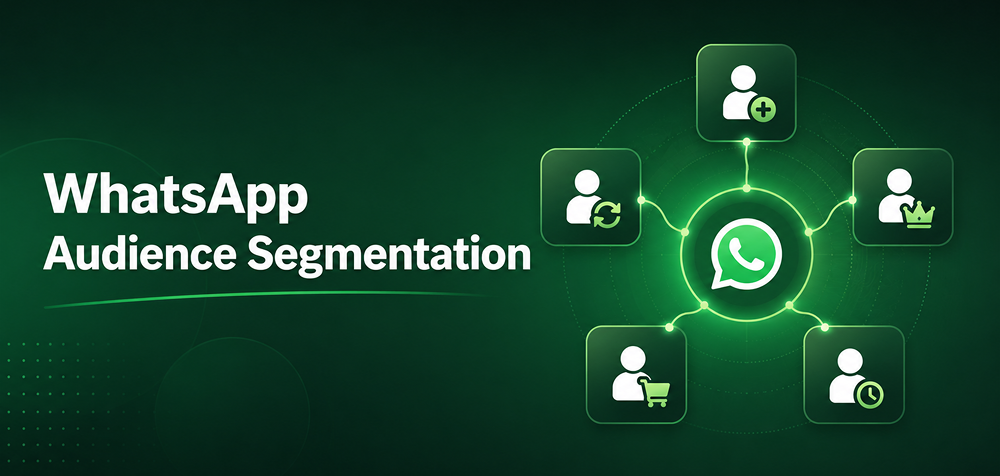
The biggest mistake Shopify merchants make with WhatsApp marketing is broadcasting the same message to every contact. A first-time buyer and a customer who has ordered eight times have completely different relationship histories with your brand. These are the five segments every Shopify store should build before running any broadcast:
- First-time buyers — welcome flow, product education, review request at day 7.
- Repeat buyers (2+ orders) — loyalty rewards, early access to new products, VIP offers.
- High-value customers (top 20% by AOV) — exclusive products, personal shopping messages, priority support.
- Browse abandoners — visited product page, did not add to cart — product reminder with social proof.
- Lapsed customers (60+ days silent) — win-back campaign with a specific reason to return.
WhatsApp Flows — The 2026 Upgrade
WhatsApp Flows let customers complete actions entirely inside WhatsApp — browsing a product catalogue, taking a style quiz, confirming an order — without being redirected to your website. Businesses using Flows report completion rates above 80% and conversion ratios 158% higher than standard web forms. For Shopify merchants in India where customers are mobile-first and browser switching creates friction, Flows remove the single biggest conversion barrier in the WhatsApp journey. Note: WhatsApp Flows require the Business API and are available through approved BSPs.
For a full comparison of the tools that power WhatsApp broadcast campaigns at Shopify store scale — including how each handles segmentation, automation depth, and pricing — the WhatsApp campaign tools guide covers five platforms side by side.
Stage 4 — Conversion: Abandoned Cart Recovery
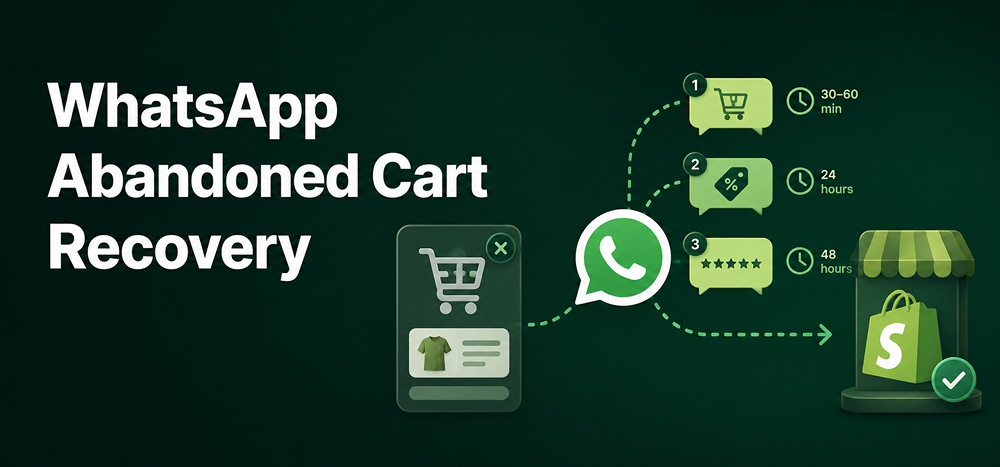
Abandoned cart recovery is the highest-ROI WhatsApp automation any Shopify merchant can set up. Roughly 70% of Shopify carts are abandoned before checkout, and WhatsApp recovery converts at 3–7x the rate of email for opted-in lists. The full three-message sequence is covered in detail in the abandoned cart recovery guide. Here is the framework:
- Message 1 — 30 to 60 minutes after abandonment: A friendly reminder with the product name and image. No discount. No pressure. Just a reminder that the cart is saved.
- Message 2 — 24 hours later: Soft urgency. Mention low stock if genuine, or offer a time-limited discount for price-sensitive segments only.
- Message 3 — 48 hours later: Final message. Social proof (reviews or ratings) or a stronger scarcity signal. After this, stop — three messages is the limit before you start damaging the relationship.
Stage 5 — Retention: Post-Purchase Flows and Repeat Revenue
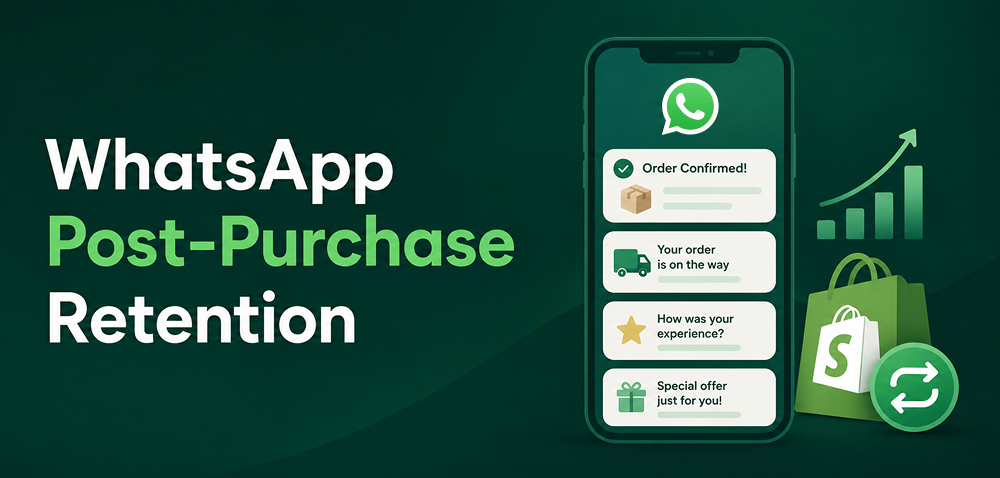
Most Shopify merchants stop at the sale. Retention is where WhatsApp compounds — turning single purchases into repeat customers costs a fraction of acquiring new ones. These four post-purchase automations work for any Shopify store:
- Order confirmation + tracking update — send immediately after purchase and again when shipped. This single automation reduces inbound support queries by 30–40% for most stores.
- Review request at day 7 — WhatsApp review requests get significantly higher response rates than email. Keep the message short: one sentence, one link.
- Reorder reminder at day 30–45 — timed to the natural repurchase cycle of your product. A skincare brand sends at 30 days. A supplement brand at 45.
- Win-back campaign at day 60 — for customers who have gone silent. One message with a specific, personalised reason to return — not a generic "we miss you."
The order confirmation and tracking automation alone is worth setting up before any broadcast campaign — the WhatsApp order updates for Shopify guide covers the exact timing, message format, and how to configure each notification through Shopify.
12 WhatsApp Marketing Strategies for Ecommerce Stores
These strategies follow the funnel stages above — they are not a random checklist. Follow them in sequence and each one builds on the previous.
Foundation Strategies
1. Build a compliant opt-in list from Shopify checkout. Add a WhatsApp consent checkbox at checkout. Target a 15%+ opt-in rate in the first 30 days. Quality over quantity — an opted-in list of 500 converts better than a cold list of 5,000.
2. Set up the WhatsApp Business API before running any campaign. Without the API, you cannot automate, integrate with Shopify, or broadcast to more than 256 contacts. This is the infrastructure everything else runs on.
Acquisition Strategies
3. Run click-to-WhatsApp ads for high-intent traffic. Use Meta ads with "Send Message" CTAs targeting warm retargeting audiences. Start with a small budget (₹500–1,000/day) and measure cost per WhatsApp conversation, not cost per click.
4. Add a WhatsApp chat widget to product and cart pages. Capture high-intent visitors who have a question before buying. A chat widget on the cart page specifically intercepts customers who are about to abandon.
Nurturing Strategies
5. Segment contacts before every single broadcast. Never broadcast to your full list. Build purchase history segments in your WhatsApp tool and target each message to the right group.
6. Use WhatsApp Flows for in-chat product discovery. Set up a product recommendation quiz or size guide inside WhatsApp Flows. No external links, no website redirect, and completion rates above 80%.
7. Automate a welcome message for every new subscriber. Send within 5 minutes of opt-in. Introduce the brand, set expectations for message frequency, and deliver the first value — a tip, a guide, or a welcome offer.
Conversion Strategies
8. Set up the three-message abandoned cart sequence. 30 minutes, 24 hours, 48 hours. Automate it completely. This is the single highest-ROI automation in WhatsApp marketing for Shopify.
9. Send WhatsApp-exclusive offers to high-value segments. Your top 20% of customers by order value should receive first access to new products and exclusive discounts via WhatsApp. This rewards loyalty and reinforces the channel as premium.
10. Use COD confirmation messages to reduce RTO. For cash-on-delivery orders — high volume in India — send a WhatsApp confirmation immediately after the order is placed. A simple "Confirm your order?" with a Yes/No button reduces return-to-origin rates by 20–30%.
For the exact message flow, timing, and Shopify setup that makes COD verification automatic, the WhatsApp COD verification guide covers the full implementation including no-response handling.
Retention Strategies
11. Automate post-purchase review requests and reorder reminders. Set the review request at day 7 and the reorder reminder based on your product's natural repurchase cycle. Both run automatically once configured — zero manual effort after initial setup.
12. Protect your sender quality score at all times. Check your WhatsApp sender quality rating weekly inside your BSP dashboard. If it drops to yellow, pause broadcasts immediately and audit your recent messages for frequency, relevance, and timing issues.
The most common triggers for quality score drops:
- Sending broadcasts to your entire unsegmented list
- Messaging customers who opted in more than 6 months ago without recent re-engagement
- Using promotional language in messages sent within 24 hours of a previous message
For a full breakdown of what damages your WhatsApp marketing performance and how to fix it, see the WhatsApp marketing mistakes guide.
WhatsApp Marketing Examples — What Ecommerce Brands Are Doing
Real campaigns make the strategies concrete. Here is what established ecommerce brands are doing and what Shopify merchants can replicate directly.
CaratLane — Personalised Browse Recovery
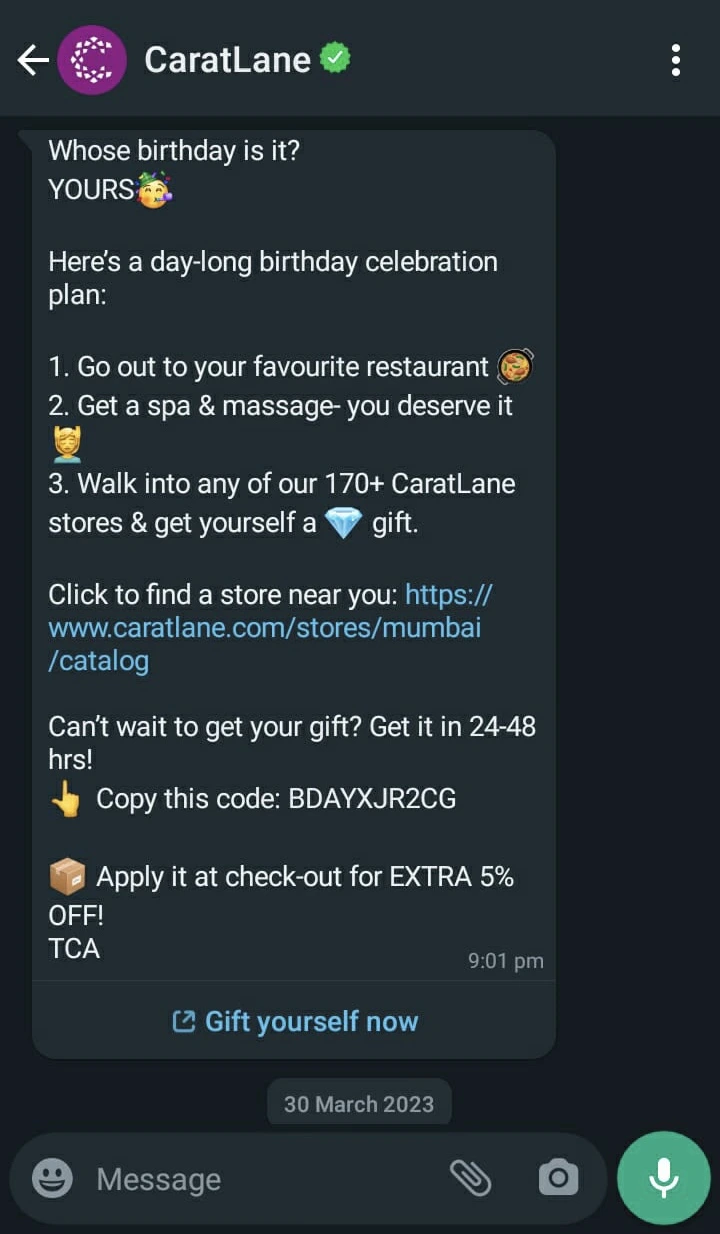
CaratLane sends WhatsApp messages based on specific products a customer viewed — the exact piece, the price point, and a WhatsApp-first discount. The message arrives within 2 hours of the browse session, resulting in significantly higher CTR than email browse abandonment sequences targeting the same segment. The key difference: the WhatsApp message arrives in the same app where the customer is already active.
What Shopify merchants can replicate: Set up a browse abandonment trigger for customers who viewed a product but did not add to cart. Use the product image in the message. Keep the text to one sentence. Do not offer a discount on the first message.
Amazon India — Separating Transactional from Promotional
Amazon India runs two separate WhatsApp accounts — one for transactional messages (order OTP, delivery updates, tracking links) and one for promotional messages (deals, offers, recommendations). Customers can opt out of promotional messages while still receiving critical order updates, which protects the sender quality score on the transactional account even if promotional unsubscribes increase.
What Shopify merchants can replicate: Keep your automated order notifications (confirmation, shipping, delivery) in a separate flow from your broadcast campaigns. If your block rate increases on broadcast campaigns, it will not affect your order notification deliverability.
Use Case: D2C Skincare Brand, Mumbai
| Details | |
|---|---|
| Store type | D2C skincare brand, Shopify store, 80% of orders from Mumbai and Pune |
| Problem | 68% cart abandonment rate. Email recovery converting at 2.1%. Support team spending 4+ hours per day answering order status questions manually. |
| Action | Installed Chatix and connected to Shopify. Added WhatsApp opt-in checkbox at checkout — 1,200 contacts opted in within first 30 days. Set up three-message abandoned cart sequence and automated order confirmation and tracking messages. |
| Result | WhatsApp cart recovery converting at 11.4% within 60 days. Inbound support queries about order status dropped by 38%. ₹4.2 lakh in revenue recovered from abandoned carts in the first two months. |
WhatsApp Marketing Metrics — What Good Looks Like for Shopify Stores
Open rate alone does not tell you if WhatsApp marketing is working. These are the five numbers every Shopify merchant should track from the day their first campaign goes live. Track them weekly — WhatsApp quality issues compound fast.
| Metric | Healthy Benchmark | Warning Sign |
|---|---|---|
| Delivery rate | Above 95% | Contact list has invalid or inactive numbers |
| Read rate | 70–85% | Timing or message relevance problem |
| Click-through rate | 15–45% | Weak CTA, offer, or message-product fit |
| Block-to-read ratio | Below 2% | Over-messaging or irrelevant content |
| Cart recovery conversion | 8–15% | Sequence timing needs adjustment |
The Metric Most Shopify Merchants Ignore
The block-to-read ratio is the most important WhatsApp metric almost nobody tracks. A high block rate directly damages your sender quality score — and when that score drops to red, WhatsApp restricts your outbound messaging automatically. You will not receive a warning email. You will not get 24 hours to fix it. Your broadcasts will simply stop delivering.
Check this ratio weekly inside your BSP dashboard. If it rises above 2%, stop all broadcasts immediately. Review your last three messages for frequency, relevance, and whether the segment was appropriate. Fix the issue before resuming. One bad broadcast campaign can take weeks to recover from.
How to Build a WhatsApp Marketing Plan for Your Shopify Store
A plan gives your WhatsApp activity a sequence and a goal — without one, you end up sending random messages with no clear outcome to measure. This is the seven-step plan that works for Shopify stores starting from zero.
- Set up the WhatsApp Business API and connect it to your Shopify store through a verified BSP.
- Add opt-in collection at checkout. Set a 30-day target of 500+ opted-in contacts before running any broadcast campaign.
- Build three foundational automations: welcome message (fires within 5 minutes of opt-in), abandoned cart sequence (three messages at 30 min, 24 hours, 48 hours), and post-purchase flow (confirmation, tracking, review request).
- Run your first broadcast to a segment — not your full list. Start with repeat buyers only. Send one message, measure read rate and block rate before expanding.
- Review your five key metrics weekly — delivery rate, read rate, CTR, block-to-read ratio, and cart recovery conversion.
- Add click-to-WhatsApp ads once your organic automations are stable and your opt-in list has at least 1,000 contacts.
- Explore WhatsApp Flows for in-chat checkout and product discovery once you have 90 days of campaign data to guide what flows to build.
2026 WhatsApp Marketing Trends Shopify Merchants Should Watch
WhatsApp's product has changed significantly in 2025 and 2026. These three developments are the most directly relevant for Shopify merchants planning their strategy now.
WhatsApp Flows — In-Chat Checkout Without Leaving the App
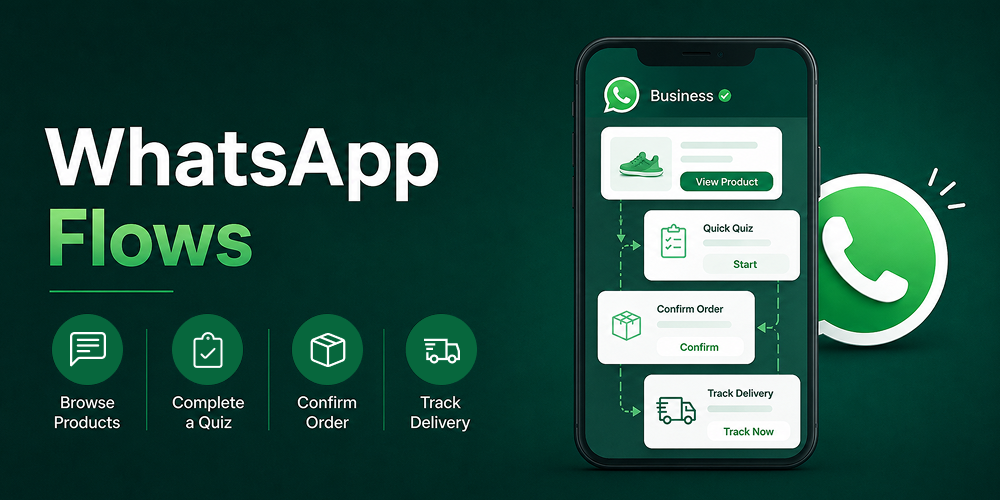
WhatsApp Flows allow customers to browse products, complete a quiz, confirm an order, or check delivery status entirely within WhatsApp — no external link, no browser redirect. Businesses using Flows report completion rates above 80% and conversion ratios 158% higher than standard web forms. For Shopify merchants in India where customers are mobile-first, Flows remove the single biggest conversion barrier in the WhatsApp journey.
Click-to-WhatsApp Ads Are Becoming Performance Marketing
Meta's pricing model for click-to-WhatsApp ads is shifting from fixed rates to auction-based bidding in 2026, with a limited beta running from mid-2026 and full rollout expected in 2027. Merchants who begin testing now will have a significant data advantage when bidding becomes mandatory. Lead-optimised campaigns currently produce 24% lower cost per lead than conversation-optimised campaigns — start with that objective.
AI-Driven Channel Selection Is Arriving
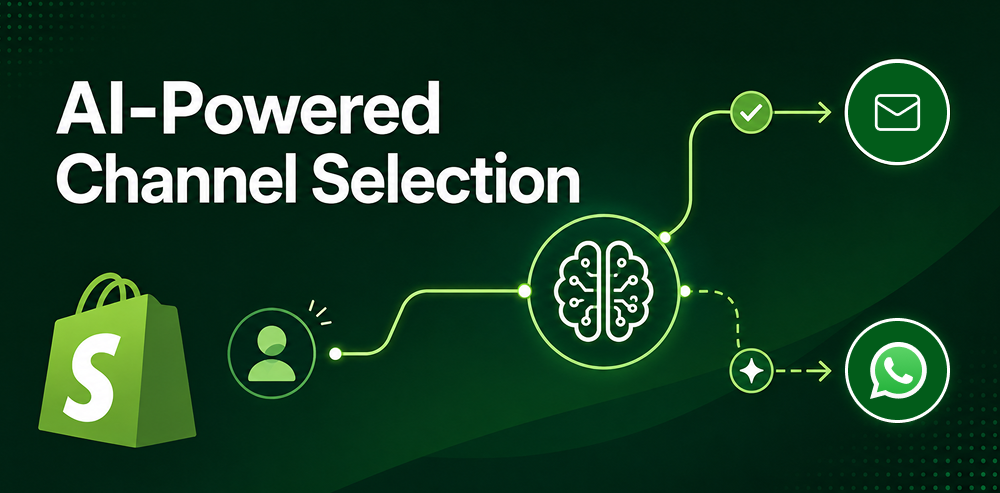
AI tools are beginning to automatically determine which channel — email or WhatsApp — converts better for each individual customer based on their behaviour and engagement history. Early versions of this are live in some platforms already. Shopify merchants should expect this to become standard in WhatsApp marketing tools by end of 2026. Chatix is building towards this capability to help Shopify merchants automatically route the right message to the right channel without manual segmentation work.
Final Thoughts
WhatsApp marketing works for Shopify stores when it is built as a system — foundation first, automation second, campaigns third. The merchants seeing 10–15% cart recovery rates and 70%+ read rates did not get there with a single broadcast. They built the right infrastructure: proper opt-ins, segmented contacts, automated flows, and a sender quality score they protect every week. If you are running a Shopify store and have not set up abandoned cart recovery on WhatsApp yet, that is the place to start — it has the highest return of any WhatsApp automation and takes the least effort to maintain once it is live. Chatix connects directly to your Shopify store and has your first abandoned cart sequence running in under 30 minutes.
Frequently Asked Questions
What is the difference between WhatsApp marketing and WhatsApp broadcasting
WhatsApp broadcasting is one tactic within a broader WhatsApp marketing strategy. Broadcasting refers to sending a single message to multiple opted-in contacts at once. WhatsApp marketing is the full system — opt-in collection, automated flows, segmented broadcasts, post-purchase follow-ups, and performance tracking across the entire customer journey.
How many WhatsApp messages should a Shopify store send per week
Two to four messages per week is the ceiling for active campaign periods — and even that requires strong segmentation and high relevance. For retention and post-purchase flows, one message per week per customer is sufficient. Over-messaging is the fastest way to spike your block rate and damage your sender quality score, which takes weeks to recover.
Is WhatsApp marketing legal for Shopify stores in India
Yes — WhatsApp marketing is legal in India for businesses with explicit customer opt-in. India does not apply GDPR but follows WhatsApp's own Business Policy, which requires written or digital consent before sending marketing messages. Consent collected at checkout via an opt-in checkbox, or through a chat widget where the customer initiates the conversation, is sufficient under current policy.
What is a good WhatsApp marketing open rate for ecommerce
A read rate of 70–85% is the benchmark for a healthy, engaged opt-in list in ecommerce. If your read rate is below 60%, the issue is usually one of three things: you are sending at the wrong time, your message is not relevant to the segment, or your list includes contacts who opted in a long time ago and are no longer active.
Can a small Shopify store use WhatsApp marketing without the API
Yes — the free WhatsApp Business App works for stores in their early stage with under 50 orders a month and one person managing all conversations. It supports basic quick replies, a business profile, and a product catalogue. Above that threshold, automation and Shopify integration require the API, and trying to manage WhatsApp marketing manually at scale leads to inconsistent response times and missed recovery opportunities.