


40+ Short WhatsApp Business Description Samples for Every Business
WhatsApp Business & API Published: February 08, 2024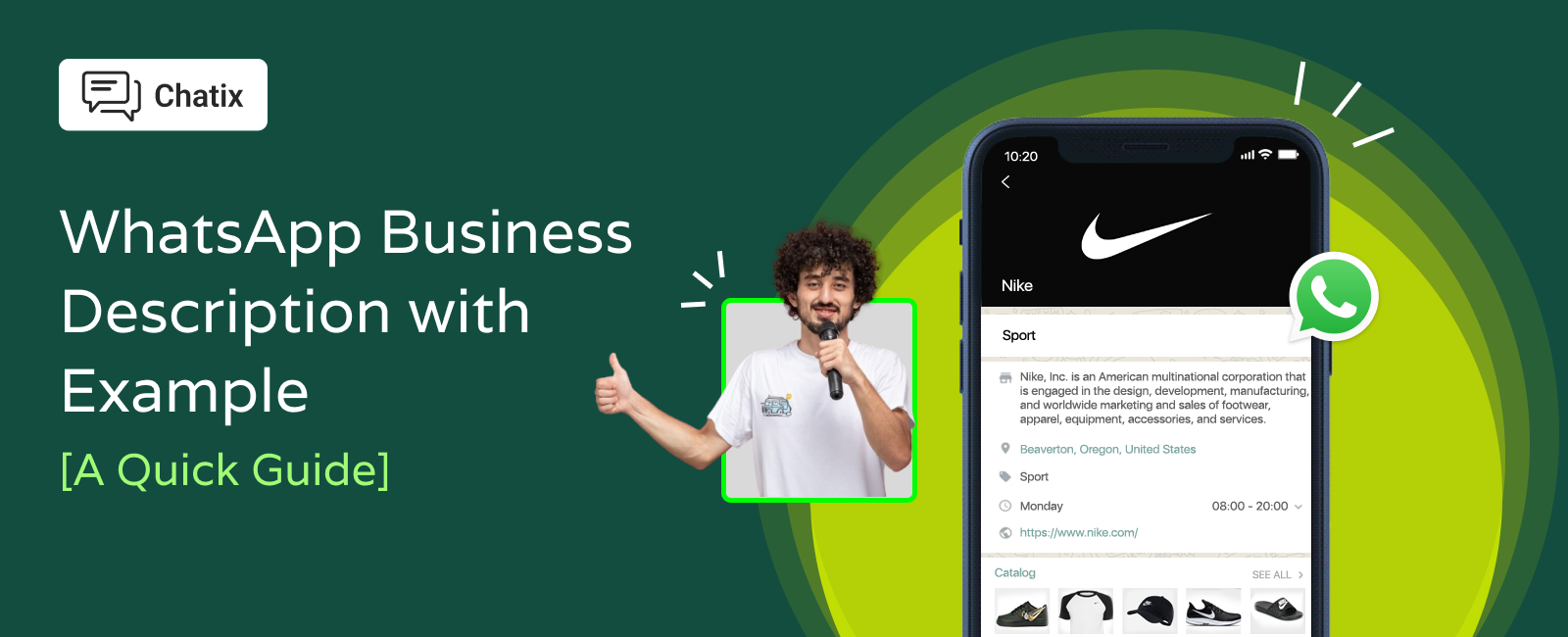
A WhatsApp Business description is the first thing a customer reads before they decide whether to message you. They scan it in two seconds and decide whether you look real, reliable, and worth talking to — before a single message is exchanged. The WhatsApp business description examples below are built to make that two-second scan work in your favor, whatever you sell.
This guide covers what makes a description work, the actual character limits to keep in mind, and ready-to-use sample text across more than a dozen business types — including ecommerce and Shopify stores, education and a general template if your business doesn't fit a specific category. If you're an ecommerce brand looking to automate WhatsApp beyond just the profile text, the WhatsApp automation for Shopify stores guide covers the full setup.
Quick Answer
A WhatsApp Business description is limited to up to 256 characters. The best descriptions state what you sell, who it's for, and one reason to message you — in one or two short lines. Below you'll find copy-and-paste examples for ecommerce and Shopify stores, education, real estate, restaurants, 10+ other business types, and descriptions organized by purpose (sales, support, marketing) — just swap in your own details.
Key Takeaways
- Shopify and ecommerce store descriptions work best when they mention delivery, sizing, or order support — the specific things a shopper is unsure about before buying
- A good description answers three things fast: what you sell, who it's for, and why someone should message you instead of just browsing
- WhatsApp Business descriptions have a character limit — keep your description to around 256 characters to be safe, and verify your specific platform's limit before finalizing
- Copy-paste examples save time, but swapping in your own product, city, or hours makes the description sound like your business, not a template
- If your business has separate WhatsApp numbers for sales, support, or marketing, each one needs a different description — the purpose section below covers this
What Is a WhatsApp Business Description
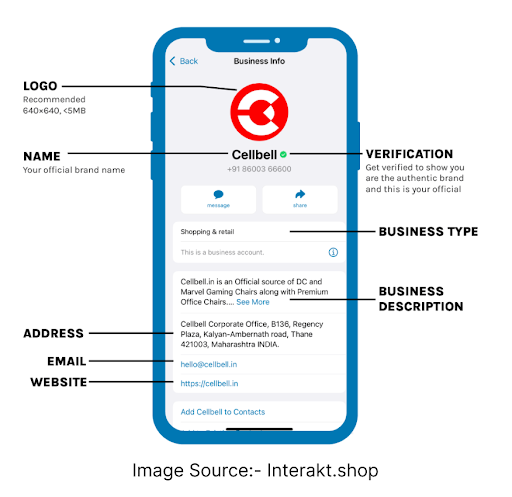
A WhatsApp Business description is the short text that appears on your business profile, right below your name and photo. It's visible to anyone before they send their first message — on your profile page, and sometimes in search results if your number is publicly listed.
It's different from a greeting message (the text someone sees after they message you) and different from your business catalog. The description is the static, always-visible introduction to your business. For the full breakdown of every WhatsApp Business profile feature, including catalog and labels, the top WhatsApp Business features guide covers it in detail.
WhatsApp Business Description Best Practices
- Know your character limit. WhatsApp Business descriptions are limited to up to 256 characters. Write to fit comfortably within that, not right up to the edge.
- Lead with what you sell. The first few words matter most — a customer scanning your profile should know what you do before they finish the first line.
- Say who it's for. “Skincare for sensitive skin” tells a customer more in four words than “quality skincare products.”
- Give one reason to message you. Free delivery, fast replies, custom orders — pick the one thing that actually gets people to reach out.
- Keep it short on purpose. A description trying to say everything usually says nothing clearly. One or two lines outperforms a paragraph.
- Update it when something changes. A description with outdated hours or an old offer looks neglected — review it every few months.
- Use one emoji, not five. A single emoji can add warmth. Several in a row reads as spam, not personality.
Writing the description once is only half the job — reusing it consistently and refreshing it without starting from scratch is where most businesses fall behind. Chatix's WhatsApp message templates library saves your team from rewriting the same messages every time something needs updating — approved templates for cart recovery, order updates, and promotional campaigns ready to use.
WhatsApp Business Description Examples by Business Type
WhatsApp Business Description for Ecommerce and Shopify Stores
If your Shopify store needs more than a profile description — ready-made abandoned cart message templates cover the recovery messages that run automatically after a customer leaves without buying.
WhatsApp Business Description for Education
WhatsApp Business Description for Travel Agency
WhatsApp Business Description for Art & Entertainment
WhatsApp Business Description for Other Businesses
If your business doesn't fit a specific category above, this general template works for most product or service businesses:
[Business name] — [what you sell or do] for [who it's for]. [One reason to message: fast replies / custom orders / free consultation]. Message us anytime
Example filled in:
WhatsApp Business Description for Real Estate
For ready-made message templates covering inquiries, site visits, and follow-ups specific to real estate, the real estate WhatsApp templates guide has a full set.
WhatsApp Business Description for Shopping & Retail
WhatsApp Business Description for Hotel & Stays
WhatsApp Business Description for Restaurant
WhatsApp Business Description for Grocery Store
For ready-made templates covering order confirmations and delivery updates specific to food and grocery delivery, the food delivery WhatsApp templates guide covers the full set.
WhatsApp Business Description for Event Planner
WhatsApp Business Description for Finance
WhatsApp Business Description for Apparel & Clothing
WhatsApp Business Description Examples by Purpose
Some businesses use separate WhatsApp numbers for different functions — one for sales, one for customer support, one for marketing updates. Each number needs a description that signals its specific purpose so customers reach the right team.
For Customer Support Numbers
For a full guide on running customer support through WhatsApp — response workflows, handling volume, and keeping reply times fast — the WhatsApp customer support tips guide covers the setup beyond just the description.
For Sales and Order Enquiries
For Marketing and Announcements
For ready-made promotional message templates to use alongside your marketing WhatsApp number — flash sales, seasonal offers, and new product announcements — the WhatsApp offer message templates library has a full set built for broadcast campaigns.
Choosing the Right Tone for Your Business Type
Not every business needs the same tone. A tutoring service can sound warm and encouraging. A finance consultant should sound clear and trustworthy, not casual. An ecommerce store benefits from sounding fast and helpful — customers messaging a store usually have a specific, practical question.
Three quick filters to decide your priority:
- High order volume? Focus the description on order tracking and support, since that's what most messages will be about
- Mostly new customers? Lead with what makes you different — price, speed, or selection
- Repeat customers? Mention loyalty perks or what's new, since they already know what you sell
Clear, specific WhatsApp messaging doesn't just start conversations — it brings customers back. The retention marketing guide covers how consistent messaging increases repeat sales over time.
Final Thoughts
Whatever business you're writing this for, the same rule holds: say what you do, who it's for, and give one reason to message you. Ecommerce and education are the two business types people search this topic for most — but the same three-part structure works whether you're a tutor, a tailor, or a travel agent. And if your business runs separate WhatsApp numbers for different functions, the by-purpose section above gives each team a clear starting point.
For Shopify stores specifically, Chatix connects your WhatsApp Business description and chat directly to your store, so customers messaging you about an order get real order data in the conversation — not just a description that looks good but can't answer their question.
Frequently Asked Questions
1. What is the character limit for a WhatsApp Business description?
Ans: Around 256 characters on the standard WhatsApp Business App. Limits can vary by platform if you're using the API — verify directly with your provider before finalizing your text.
2. What should I write in my WhatsApp Business description?
Ans: State what you sell, who it's for, and one reason to message you — in one or two short lines.
3. Can I copy and paste these WhatsApp Business description examples?
Ans: Yes — just swap in your business name, city, or specific offer so it reads as your own, not a generic template.
4. Can I use a different description for different WhatsApp numbers?
Ans: Yes. If you run separate WhatsApp numbers for sales, support, or marketing, each should have its own description that signals which team the customer is reaching.
5. How often should I update my WhatsApp Business description?
Ans: Review it every few months, and update it immediately if your hours, offers, or contact details change.