



WhatsApp Reviews vs Star Ratings — Which Builds More Trust on Shopify
Shopify Growth & Ecommerce Published: July 23, 2025
Star ratings are the default trust signal for Shopify stores. They’re fast, they’re everywhere, and they take seconds to collect. But a 5-star badge from an anonymous user isn’t what it used to be. Customers have been burned enough times by inflated ratings and purchased reviews that the signal has weakened.
WhatsApp reviews — conversational feedback collected directly through a private message — are filling that gap. They’re harder to fake, they look different from everything else on a product page, and they convert differently. This guide covers the comparison between the two and, if you decide WhatsApp reviews are worth adding, exactly how to collect and showcase them on your Shopify store.
For how this connects to the broader customer support and feedback picture for Shopify merchants, the WhatsApp customer support guide for Shopify covers the full context.
Quick Answer
WhatsApp reviews are customer feedback collected through WhatsApp conversations — either by asking customers directly or through automated post-delivery requests. They outperform star ratings on authenticity and outperform email review requests on collection rate (WhatsApp converts at 36% vs email’s 1%). They’re most valuable for Shopify stores where one genuine conversation screenshot converts better than a hundred anonymous stars — particularly for first-time buyers from paid traffic and in markets where WhatsApp is the primary communication channel.
Key Takeaways
- WhatsApp review requests convert at 36% vs email’s 1% — the collection rate difference is what makes the channel worth adding
- WhatsApp captured 58% of review responses across a 2026 panel of 12 Shopify brands; email captured only 18%
- Reviews shown as WhatsApp screenshots with real names and profile pictures consistently outperform anonymous star ratings for trust because they’re harder to fake
- 93% of customers read reviews before buying — but the credibility of those reviews increasingly determines whether they convert
- WhatsApp reviews and star ratings serve different purposes — one gives quick volume, the other gives depth. The strongest Shopify stores use both
Why Trust Signals Matter for Shopify Stores
What Shopify Customers Look at Before Buying
When a potential customer lands on a Shopify product page they’ve never bought from, they’re doing a rapid credibility check before committing money. They look at photos, they look at price, and then they look for evidence that other people have bought this and it was worth it.
Research consistently shows 93% of customers read reviews before making a purchase. For Shopify stores without a well-known brand name, reviews and ratings are often the deciding factor between a sale and a bounce. Stores with honest, credible social proof see 12–20% higher conversion rates than stores without it. For a full breakdown of how trust signals connect to Shopify sales, the increase sales on Shopify guide covers the conversion picture in detail.
Why Star Ratings Are Losing Credibility in 2026
Star ratings have been the default trust signal for over a decade, and that familiarity is now working against them. Customers have been burned enough times by inflated ratings, paid reviews, and suspicious five-star-only profiles that they’ve learned to discount them. A 4.8-star average from 200 anonymous reviews is worth less to a first-time buyer today than it was five years ago.
This doesn’t mean star ratings are useless — they’re still the fastest way to communicate quality at a glance. But they’ve shifted from a primary trust signal to a baseline expectation. The stores that convert better are adding something that looks harder to fake.
What Are WhatsApp Reviews and Why Are They Different
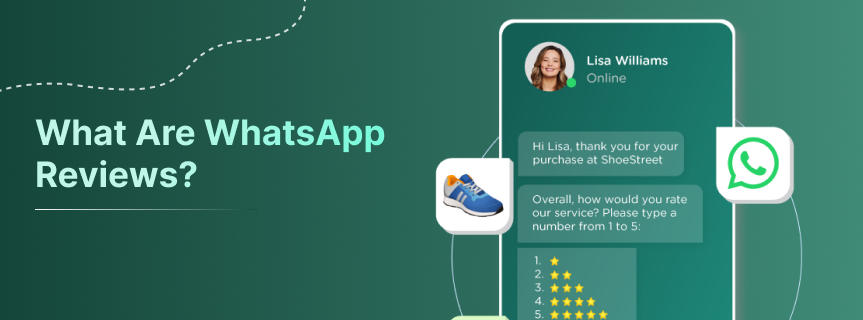
WhatsApp Reviews vs Star Ratings — Side-by-Side Comparison
| Feature | Star Ratings | WhatsApp Reviews |
|---|---|---|
| Format | Anonymous score (1–5 stars) | Real conversation with name + profile photo |
| Authenticity | Easy to fake or incentivise | Harder to fake — shows a real person |
| Emotional depth | None | Full — tone, specific details, personality |
| Collection method | Review form or email request | WhatsApp message after purchase |
| Collection rate | ~1% via email | ~36% via WhatsApp request |
| Display format | Star widget on product page | Screenshot on product page or social media |
| Speed to trust | Instant — one glance | Slower — reader has to engage with content |
| Best for | High volume, quick credibility signal | Depth of trust, emotional conversion |
For a full guide on what else builds customer confidence on a Shopify store beyond reviews, the building customer trust guide covers the complete set of trust signals.
Why WhatsApp Reviews Feel More Authentic Than Star Ratings
The reason a WhatsApp review screenshot converts better than a star rating isn’t just the content — it’s the format. A WhatsApp conversation screenshot shows a real name, a real profile picture, a timestamp, and the conversational tone of a real person. It looks like something that happened, not something submitted.
A customer choosing between a brand with 200 anonymous five-star ratings and a brand with 20 WhatsApp conversation screenshots from real customers will often trust the second brand more — because the WhatsApp format requires a level of authenticity that’s simply harder to manufacture. You can pay for star ratings. You cannot easily manufacture convincing WhatsApp conversation screenshots at scale.
This is especially true in markets where WhatsApp is the primary communication channel. In India, Southeast Asia, and the Middle East, a WhatsApp conversation screenshot on a product page reads as a familiar, trustworthy format — not a marketing device.
The Data Behind WhatsApp Review Collection
The trust argument is qualitative. The collection argument is quantitative.
Reviewbit, a Shopify app built specifically for WhatsApp review collection, reports that WhatsApp review requests convert at 36% — compared to email review requests at 1%. An analysis of 12 Shopify brands conducted by Kanal in Q1 2026 found that WhatsApp captured 58% of all review responses, with SMS capturing 24% and email 18%.
The difference comes from the channel itself. A WhatsApp review request arrives in the same app where the customer talks to friends and family. An email review request arrives in a folder the customer checks twice a day, sandwiched between promotional messages. The mechanics of attention are completely different.
How to Request WhatsApp Reviews From Shopify Customers
When to Send the Review Request
Timing determines collection rate more than any other variable. The right moment is after the product has been delivered and the customer has had enough time to use it — but before the experience fades from active memory.
- Physical products: 2–5 days after confirmed delivery
- Apparel and footwear: 4–7 days — customers need to try it on and wear it first
- Electronics or higher-consideration purchases: 7–10 days — these need testing before the customer has a formed opinion
Don’t send the review request the same day as the delivery confirmation. Don’t wait three weeks — the purchase is no longer front of mind.
What to Write in a WhatsApp Review Request Message
The review request should be short, specific to their order, and not require more than one action. Three ready-to-use templates:
Template 1 — First request (direct):
Template 2 — First request (with incentive):
Template 3 — Follow-up (if no response after 3 days):
For a larger library of WhatsApp feedback and review request templates, the WhatsApp feedback message templates guide has a full set ready to use.
How Many Times to Follow Up
One follow-up, sent 3 days after the first request if there’s no response. That’s the maximum. Customers who don’t respond after two messages have either decided not to leave feedback or didn’t see the messages. A third request moves from friendly persistence to friction.
How to Display WhatsApp Reviews on Your Shopify Store
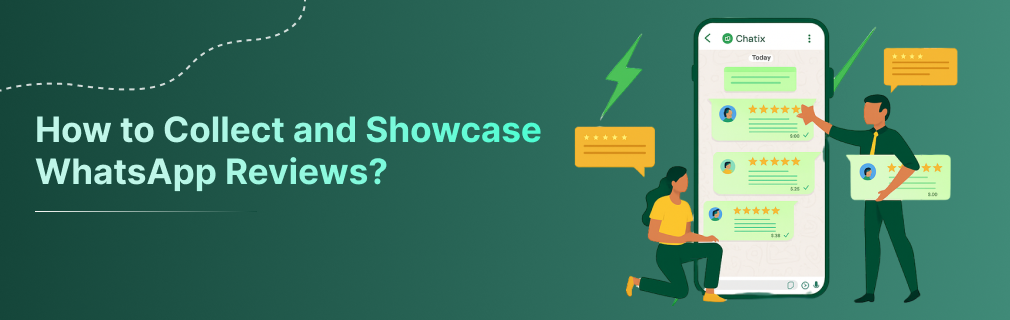
Using Screenshot Testimonials on Product Pages
The most direct way to display WhatsApp reviews is as screenshot testimonials on the product page. Take a screenshot of the customer’s WhatsApp message — with their name visible and, if they’ve consented, their profile picture — and add it alongside or below your standard review widget.
One important step before publishing: always ask the customer’s explicit permission before using their conversation screenshot publicly. A simple follow-up message works: “We loved your feedback! Would you be happy for us to share your message as a testimonial on our website?” Most customers who gave positive feedback are happy to say yes.
Adding WhatsApp Reviews to Your Home Page and Landing Pages
For Shopify stores running ad campaigns or landing pages, WhatsApp review screenshots work particularly well as social proof because they look different from the standard star widget. A grid of three to five conversation screenshots breaks the visual pattern of typical ecommerce and reads as more authentic.
The most effective placements:
- Product pages: below the product description, before the standard review widget
- Home page: a ‘What our customers are saying’ section with 3–5 screenshots
- Campaign landing pages: directly adjacent to the purchase CTA, where trust signals matter most
Automating Review Collection and Display
Manually sending review requests on WhatsApp and collecting screenshots works at low volume. At 50+ orders per month, it becomes a process that needs automating.
Chatix connects the WhatsApp Business API to your Shopify store and automates the full review collection flow — triggered by delivery confirmation, sent at the right time, with templates your team doesn’t have to write or send manually. For how this fits into the broader WhatsApp customer support and feedback workflow, the WhatsApp customer support tips guide covers the day-to-day operational picture including feedback collection.
WhatsApp Reviews vs Star Ratings — Which Should You Use
When Star Ratings Are Enough
Star ratings remain the most efficient format for high-volume social proof. If your Shopify store carries many products across multiple categories and you need to build baseline credibility at scale, a well-managed star rating system is the right starting point. They collect automatically, display clearly, and require minimal manual work.
Star ratings are also sufficient when your primary traffic comes from customers who are already brand-aware — return customers or referrals who trust the store and just want confirmation that the specific product they’re considering is good.
When WhatsApp Reviews Add Meaningful Conversion Value
WhatsApp reviews move the needle most in specific situations:
- First-time buyers from paid traffic, where brand trust is zero and a star rating alone isn’t enough to convert
- Higher-AOV products where the purchase decision requires more emotional certainty
- Markets where WhatsApp is the primary communication channel and a conversation screenshot reads as inherently authentic
- Stores whose primary differentiator is quality or customer service — where a genuine WhatsApp message says more than a five-star badge
The Hybrid Approach Most Shopify Stores Use
The most effective Shopify stores don’t choose between star ratings and WhatsApp reviews — they run both for different purposes.
Star ratings handle volume and speed — they give a quick credibility signal to every visitor across every product without requiring manual effort. WhatsApp reviews handle depth and authenticity — three or four genuine conversation screenshots on a high-converting product page add the human element that star ratings can’t provide.
The typical sequence: start with automated star rating collection to build volume, then layer WhatsApp review requests once the post-purchase flow is established, and gradually move the most compelling WhatsApp testimonials onto product pages and campaigns where they’ll have the highest conversion impact.
Final Thoughts
Star ratings aren’t going anywhere — but they’re no longer the whole story. Customers who’ve seen enough inflated review scores have learned to look for something harder to fake, and a real WhatsApp conversation screenshot with a visible name and a genuine message is harder to fake than a five-star badge.
The practical case for WhatsApp reviews isn’t just about authenticity — it’s also about collection efficiency. Asking for feedback where your customer is already talking to you consistently outperforms asking for it where they’re not looking. Starting with a single review request template, sent 3–4 days after delivery, is a 30-minute setup with results measurable within the first week.
Chatix connects WhatsApp review requests directly to your Shopify post-purchase flow — automated triggers after delivery, pre-built templates, and review management from one dashboard — so the collection runs without manual effort from your team.
Frequently Asked Questions
How are WhatsApp reviews different from star ratings?
Star ratings give a quick numerical signal. WhatsApp reviews show real conversations with real names — they’re more personal, harder to fake, and carry more emotional weight with first-time buyers.
Do WhatsApp reviews convert better than star ratings?
WhatsApp review requests convert at 36% vs email’s 1%, so collection is significantly more efficient. For display impact, WhatsApp screenshot testimonials typically outperform star ratings with new visitors who don’t already trust the store.
How do I display WhatsApp review screenshots on my Shopify store?
Ask the customer’s permission first, then use the screenshot as a testimonial image on product pages, home pages, or landing pages. Place them near the purchase CTA or alongside your standard review widget.
What is the best time to send a WhatsApp review request?
2–5 days after confirmed delivery for most products. For apparel, 4–7 days. For electronics, 7–10 days. Earlier and the customer hasn’t formed a full opinion. Later and the purchase has faded from memory.
What WhatsApp review collection tools work with Shopify?
Several tools connect WhatsApp review requests to Shopify’s post-purchase flow — including Reviewbit, Rewa, and Chatix. Look for automated delivery triggers, template customisation, and review management that lets you approve content before it goes live on your store.
How do I ask for reviews on WhatsApp without it feeling pushy?
Keep the request short, reference the specific product they ordered, ask one thing only, and send it at the right time. One follow-up is acceptable. Two is the absolute maximum. Frame it as feedback that helps your store improve, not as a marketing ask.